
The Commodore 64 was the most popular home computer of the 1980s. Released in January 1982, the single computer went on to sell between 12.5 and 17 million units, making it the biggest-selling desktop computer model of all time.
The Commodore 64 (known by many as the C64) had a huge array of software and hardware over its lifetime. Over 10,000 software titles are thought to have been made for it, many being video games for which the computer was well known. Even today people are still releasing new software for the computer.
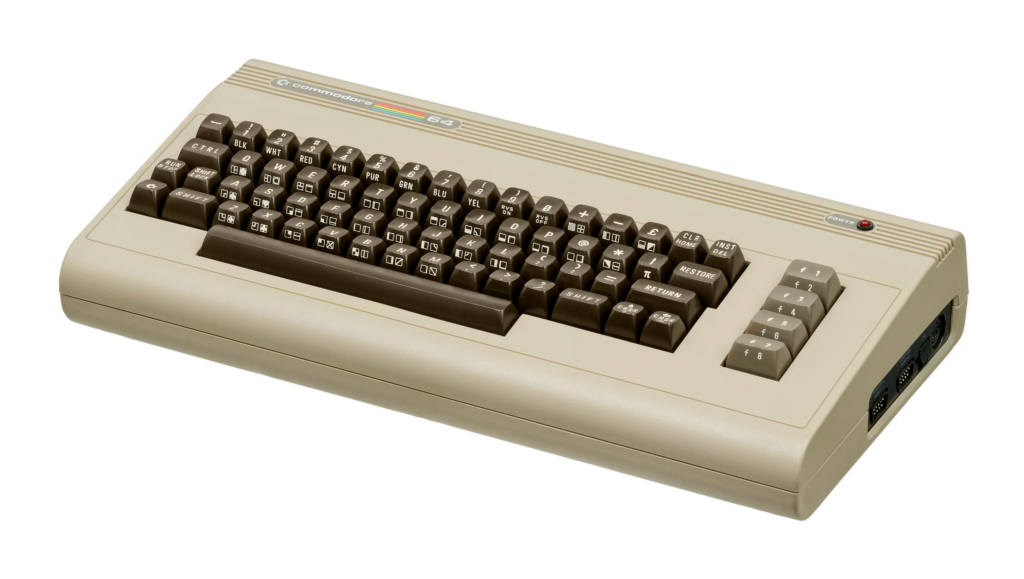
Commodore International itself went bankrupt in 1994, with its core assets sold to Gateway 2000 (a PC manufacturer that itself was eventually acquired by Acer). The Commodore brand name was passed around between companies and eventually made its way to Tulip Computers of the Netherlands, was passed around a little more, and finally to Dutch holding firm, Commodore Corporation B.V.
But Commodore has some very loyal fans, none more so than Peri Fractic (Christian Simpson), a YouTube personality with an obsession for Commodore and the nostalgia of the 80s. I am also known for my love of the 80s and retro computing, so I am also a follower of Peri and his channel.
Peri wanted to use the brand to sell real Commodore products again and approached the new owners to see if he could license the brand from them. To his surprise, the owners asked if he wanted to acquire the entire holding company maintaining the original Commodore trademarks and branding.
I am oversimplifying, but basically, Peri got some investors together, got some original Commodore engineers involved, got the family of Jack Tramiel (the original creator of Commodore) involved, and bought the lot. They then relaunched the brand, and launched a brand-new product: The Commodore 64 Ultimate.
The Original Commodore 64
First, let’s look at the specs of the original C64:
| CPU | MOS Technology 6510 running at 1.023 MHz (NTSC) or 0.985 MHz (PAL) |
| RAM | 64 KB of dynamic RAM, 1 KB of colour RAM |
| ROM | 20 KB total, containing Commodore BASIC V2, the KERNAL, and character generators |
| Graphics | VIC-II chip, with 320 × 200 pixel resolution, 16 fixed colours, 40 columns by 25 rows character mode, support for 8 hardware sprites per scan line |
| Sound | SID 6581 chip, with 3 independent oscillators, 4 different waveforms, programmable filters, and envelope generation |
| Keyboard | 66-key QWERTY style layout with function keys and special Commodore symbols (PETSCII) |
| Ports | 2 joystick/controller ports (DB-9), expansion cartridge slot, cassette deck port (Datasette), user port, and serial bus (IEC) for disk drives |
| Storage | Optional external Datasette cassette recorder or 5.25-inch floppy disk drive (Commodore 1541) |
| Networking | External modems and high speed serial cartridges |
| Video Out | Integrated RF modulator television antenna output via an RCA connector; 8-pin DIN connector containing composite video output, separate Y/C outputs and sound input/output |
These are incredibly low specs compared to today’s computers (your phone likely has 150,000 x the amount of RAM as a C64, and the C64 had no storage at all), but for its day produced an incredible array of enjoyable software titles.
The Commodore 64 Ultimate
Back to 2025, and the newly re-formed Commodore announced the first new product from Commodore in decades: The Commodore 64 Ultimate.
The Commodore 64 Ultimate promised an FPGA implementation (cycle accurate emulation), and 99% compatibility with original software AND hardware peripherals. This meant you could plug in old Commodore hard drives and tape drives, use cartridges, but also make use of modern conveniences such as USB drives, and HDMI output to modern displays and TVs.
The specs of this new machine were as follows:
| CPU | AMD Xilinx Artix-7 FPGA running MOS 6510 logic with a Turbo Boost option up to 64x speed |
| RAM | 128MB DDR2 RAM (split for system, REU, GeoRAM, and RAM disk) |
| ROM | 16MB NOR flash |
| Graphics | AMD Xilinx Artix-7 FPGA running VIC-II chip logic, with 320 × 200 pixel resolution, 16 fixed colours, 40 columns by 25 rows character mode, support for 8 hardware sprites per scan line |
| Sound | Dual SID sockets (6581/8580) with auto voltage/filter detection plus an 8-channel FPGA UltiSID sound engine (emulated 8 virtual SIDs) |
| Keyboard | 66-key QWERTY style layout with function keys and special Commodore symbols (PETSCII) |
| Ports | Three USB-A 2.0 ports, one USB Type-C port, a 3.5mm headphone jack with optical S/PDIF, SD-card slot on the motherboard, 2 joystick/controller ports (DB-9), expansion cartridge slot, cassette deck port (Datasette), user port (on the motherboard), and serial bus (IEC) for disk drives |
| Storage | Internal Micro-SD slot and USB drive compatibility (FAT, FAT32, exFAT), external Datasette cassette recorder or 5.25-inch floppy disk drive (Commodore 1541) |
| Networking | Built-in Wi-Fi and 10/100 Mbps Ethernet port, external modems and high speed serial cartridges |
| Video Out | HDMI (1080p at 50Hz PAL or 60Hz NTSC) and analog 8-pin DIN supporting CVBS, S-Video, or RGB |
Those are some beefy specs for a low-spec machine, but the strong backward compatibility, the FPGA implementation, and modern connectivity piqued the interest of the strong C64 community.
Further, Commodore offered the unit in 3 variations:
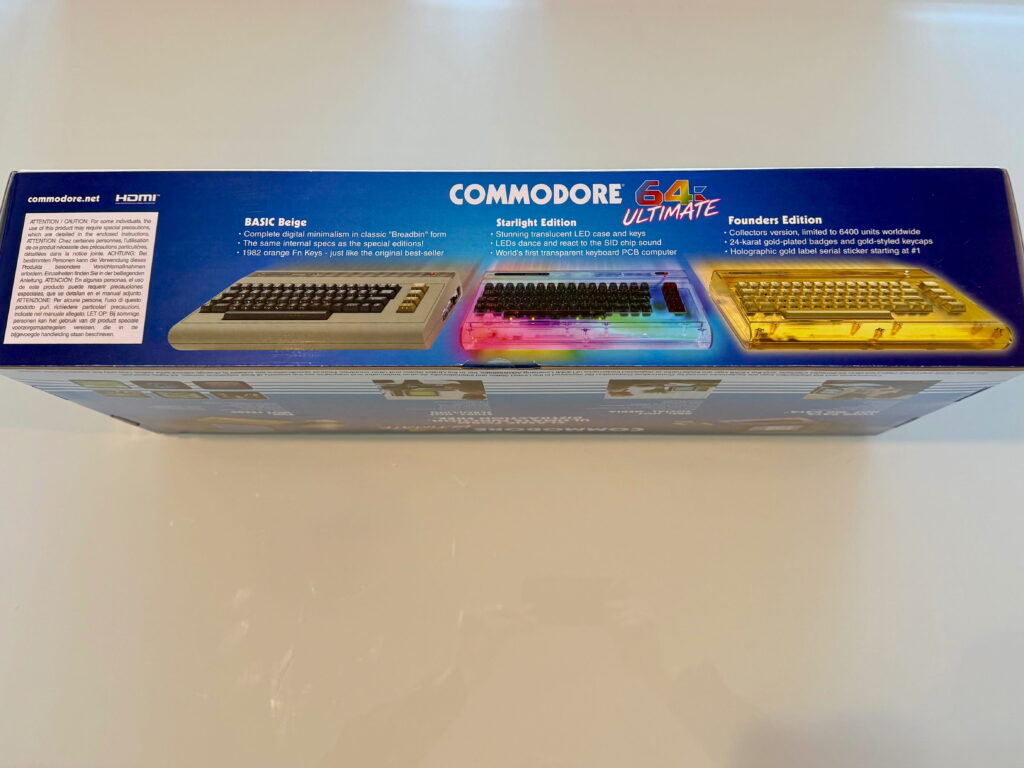
- Basic Beige: The classic colour and style of an original 1980s C64.
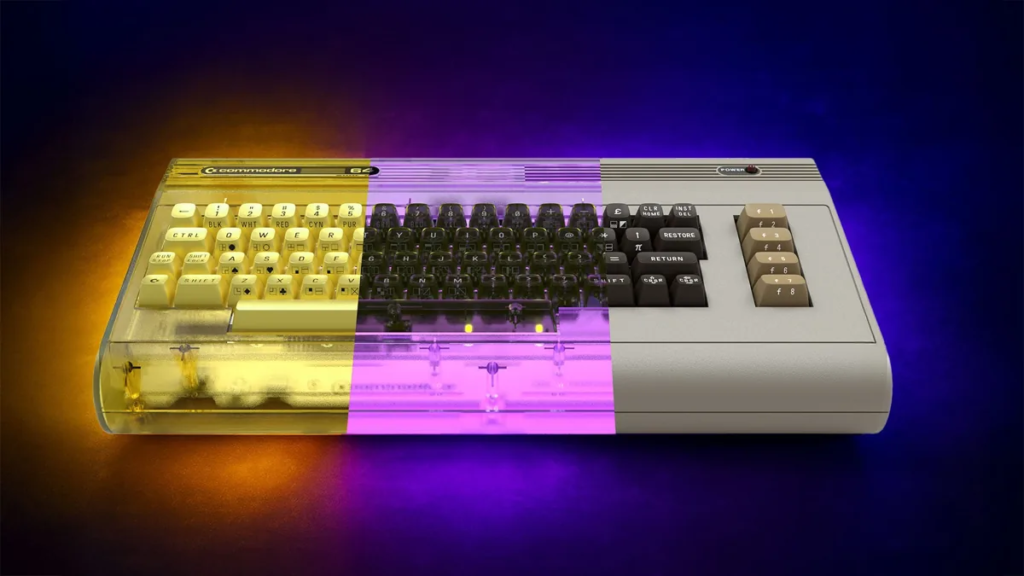
- Starlight Edition: A translucent LED-lit case with a transparent PCB and colour-changing sound-reactive features.
- Founders Edition: A limited edition version (only 6,400 to be made) with 24k gold-plated badges, gold-seal ‘share’ certificate, PVD laser-engraved LED keys, translucent keyboard PCB and case.
Pre-order
I was lucky enough as a teenager to own an original C64, and loved that machine. So I wanted the Basic Beige model, as that was the one most like the one I owned back in 1983 so had the most nostalgia for me. I pre-ordered towards the end of 2025. Commodore delivered some units before Christmas that year, but unfortunately mine took a lot longer and arrived in April 2026. It seems Commodore likely had more pre-orders than they had planned for, and had a bit of a hit on their hands.
I was actually overseas at the time of arrival, so didn’t get to open the device until May 2026. So I thought I’d do an unboxing here.
Unboxing
So the box shipped in a shipping box that mentions it is a C64U. Great for porch-pirates. Fortunately I live in an apartment building, so parcels are picked up by the front desk, and further my neighbour collected the parcel for me so it didn’t sit in the front office for a month while I was overseas.
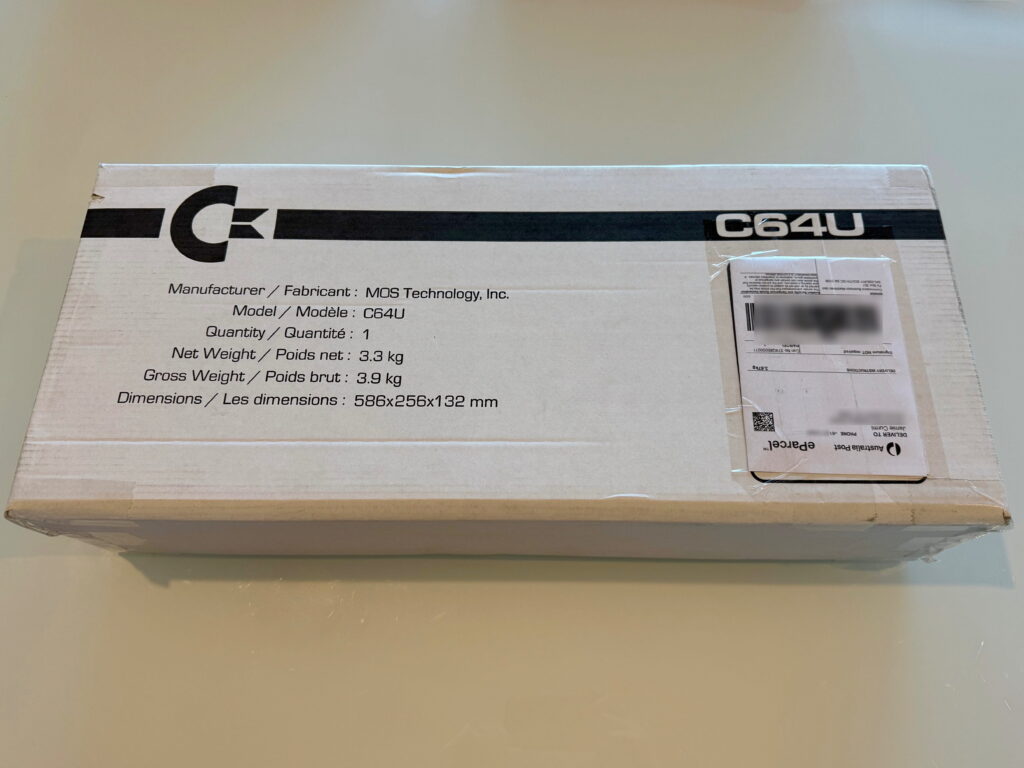
Let’s take it out of the shipping box and look at the box itself.
The Box
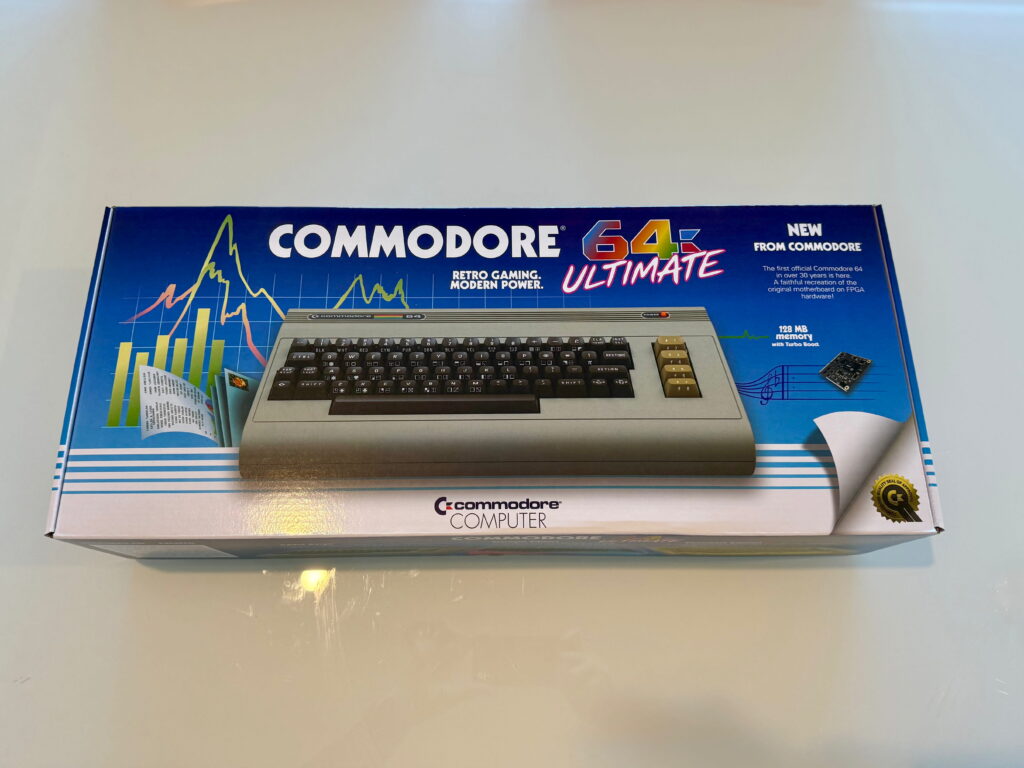
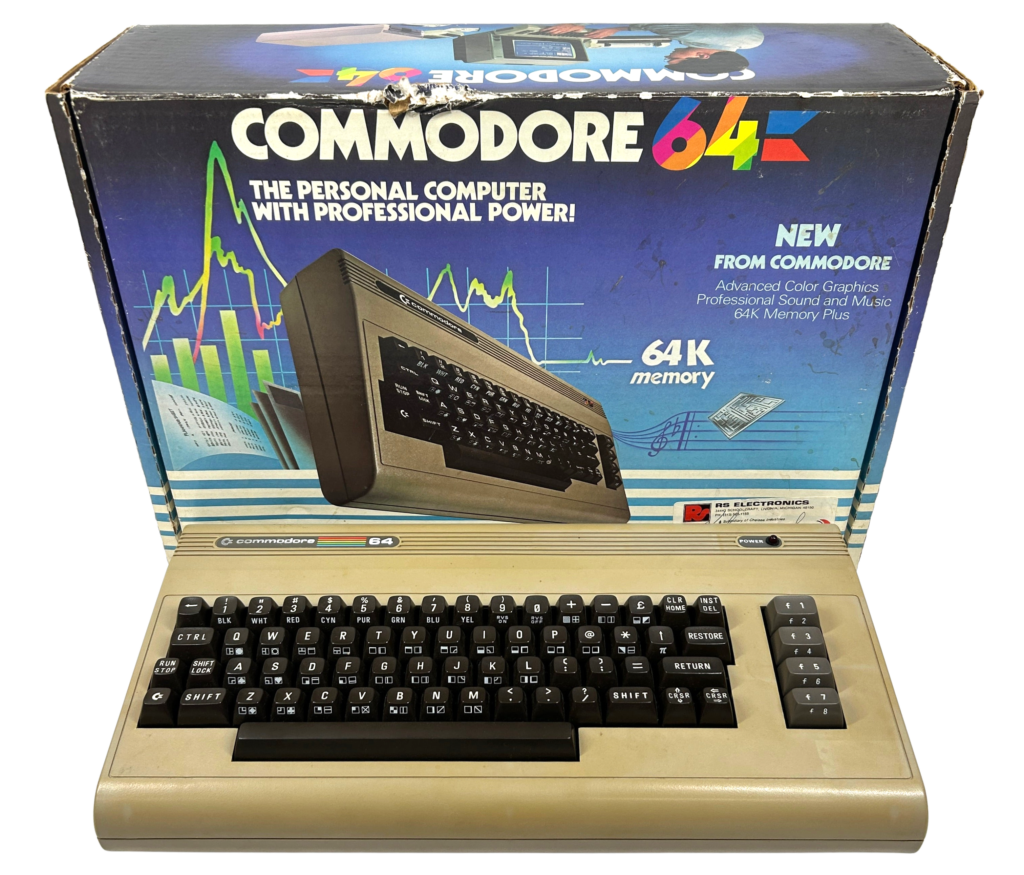
The box is reminiscent of the original box from the 1980s, though less squat and stretched out. Here’s a box from the 1980s for comparison.
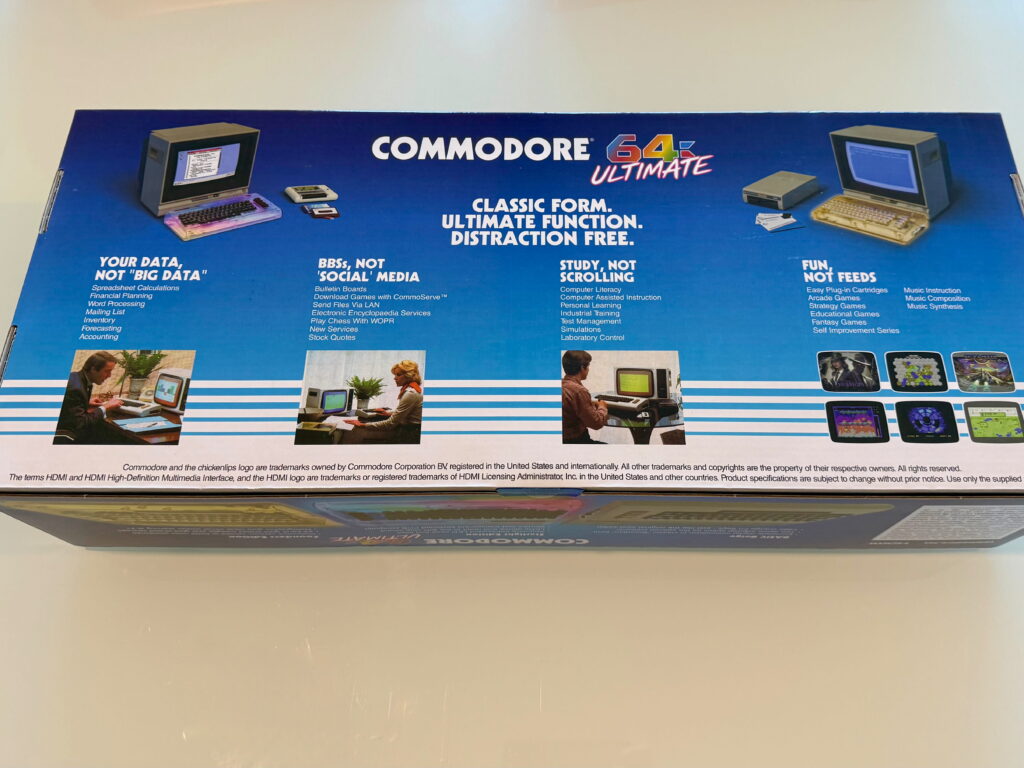
The box similarities are more apparent when you look at the other sides of the box. For example, the back of the box cleverly uses the original 80s images, with new text about social media, scrolling and “big data”.
One side of the box shows the other models available.
Let’s open the box!
Opening the Box
On opening the box you are greeted with this text.
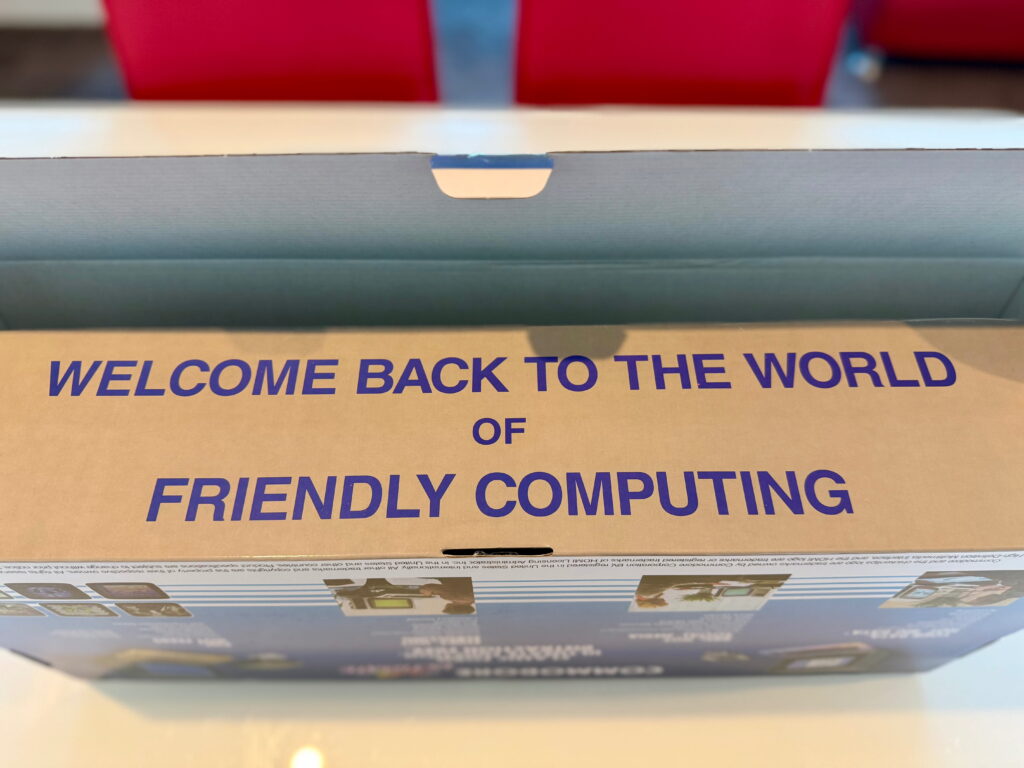
Commodore is leaning heavily into friendliness and being a “digital detox” with this computer.
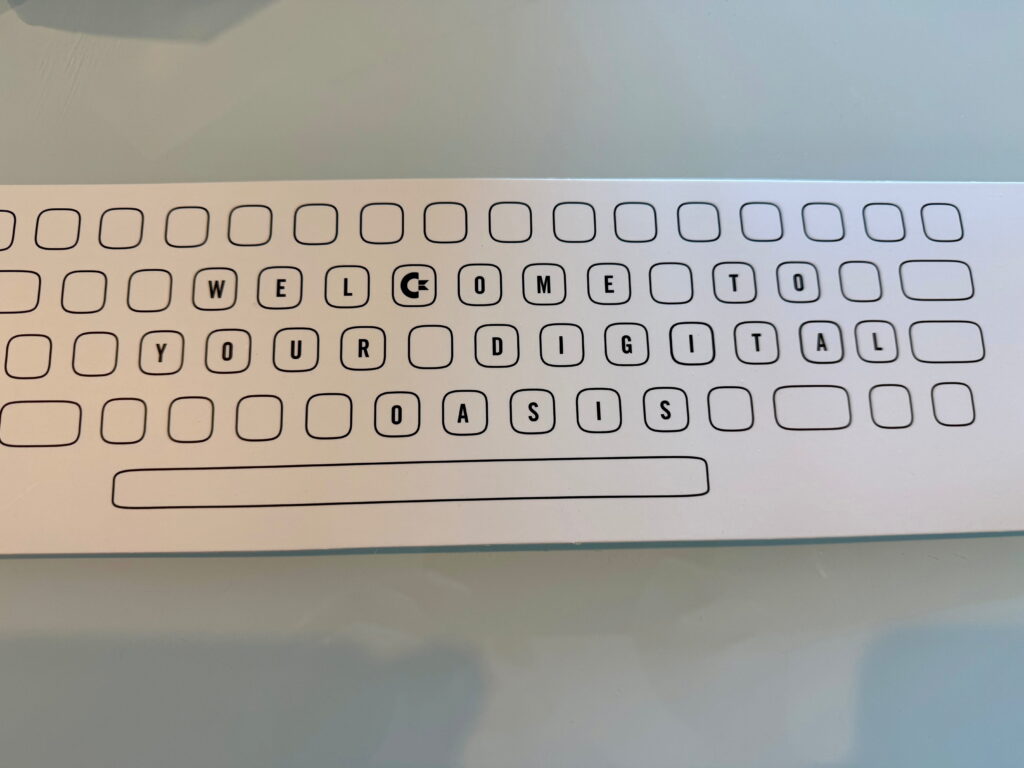
Inside the box we see the machine, another box, and a piece of cardboard with yet another message. This is basically just a bit of support for the keyboard in the box I suspect.
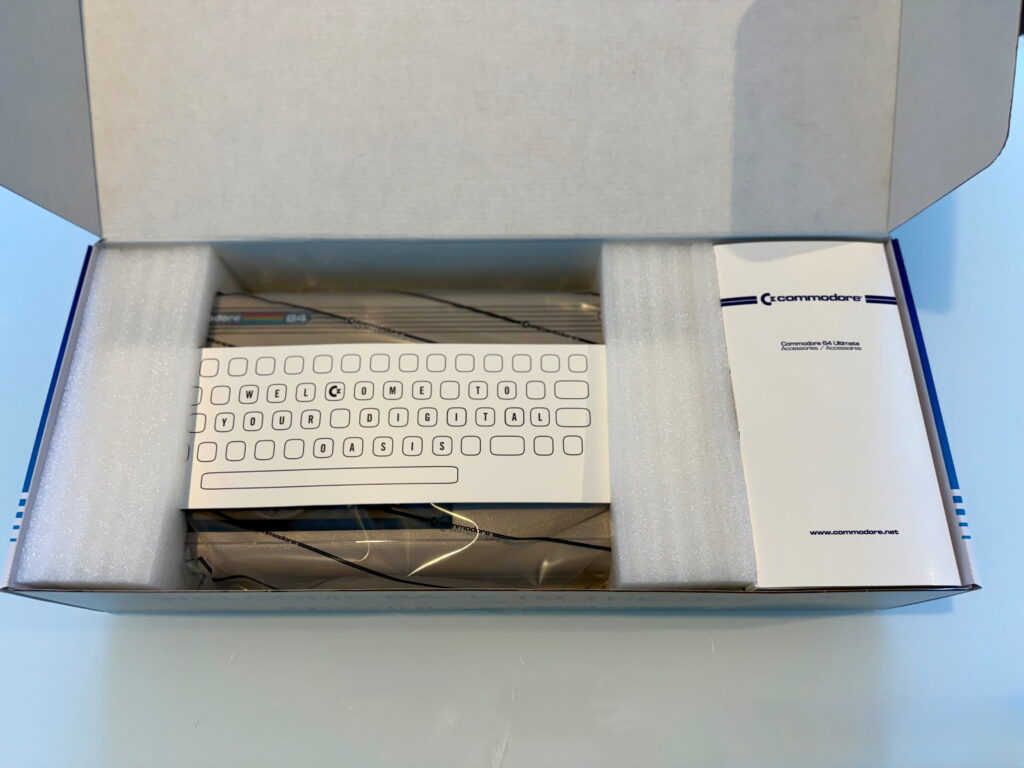
What’s in the Box?
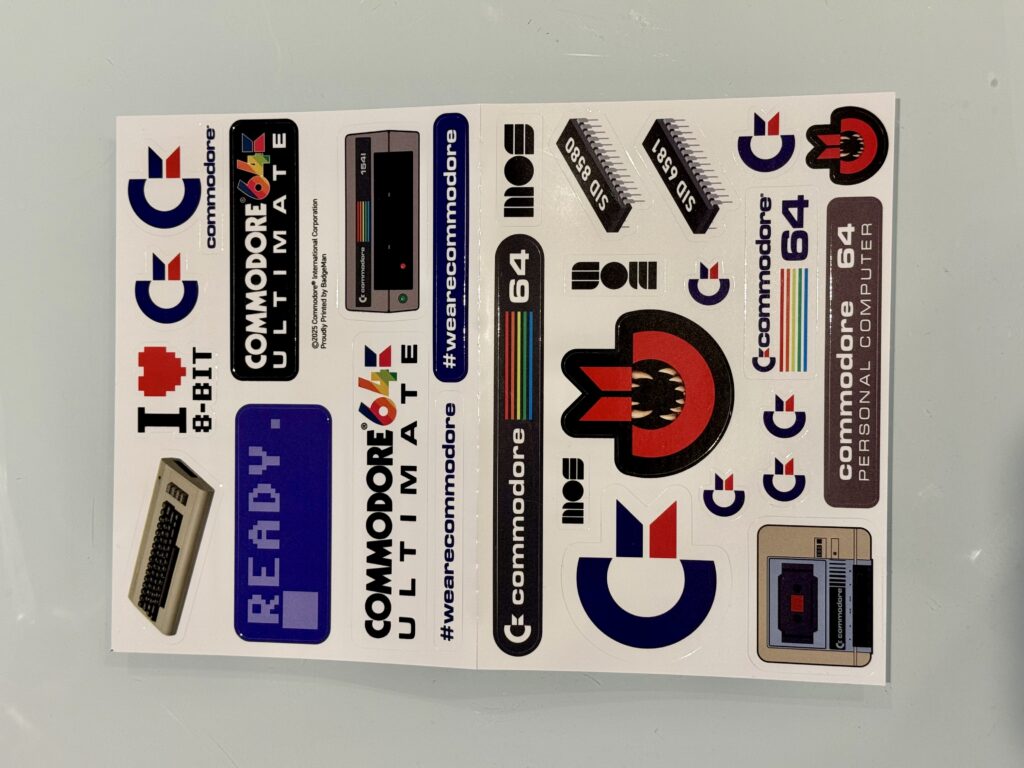
Inside the smaller box to the right there a power adapter, HDMI cable and stickers.
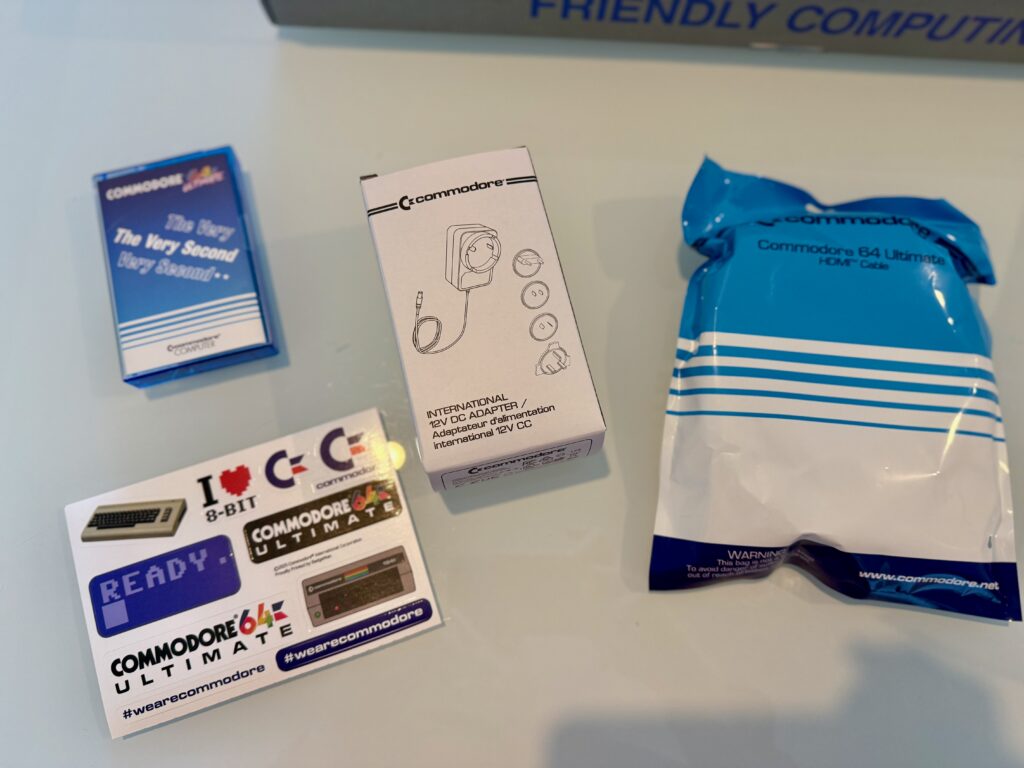
You might also notice there seems to be an audio tape in the box! Let’s take a closer look at that…
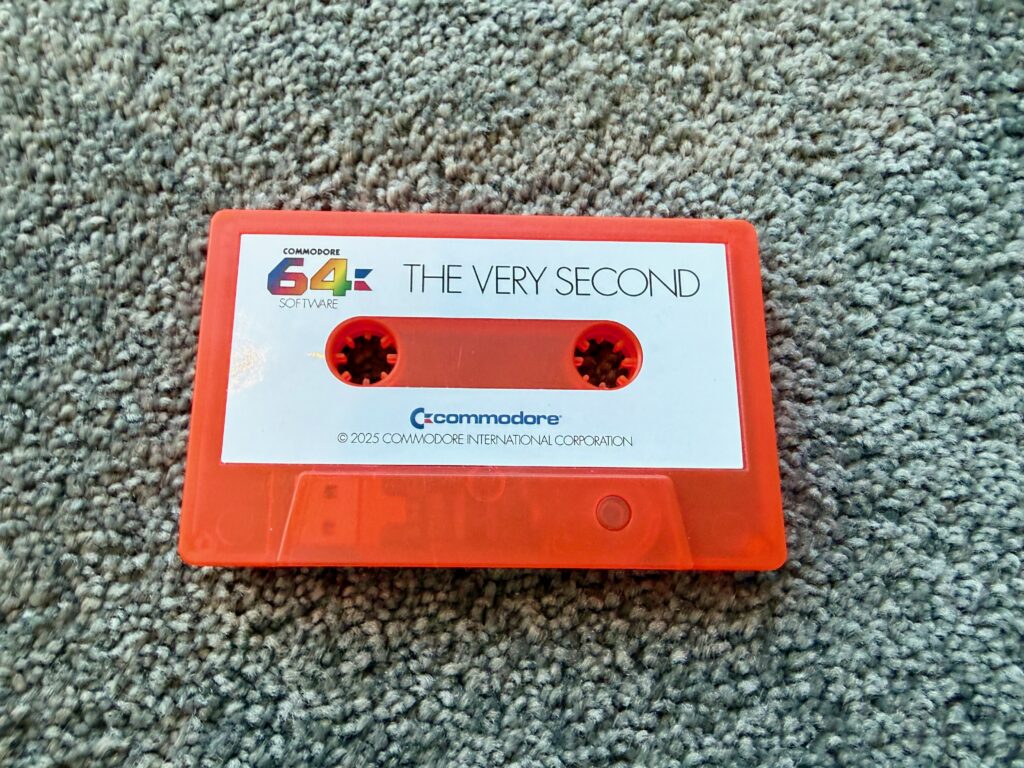
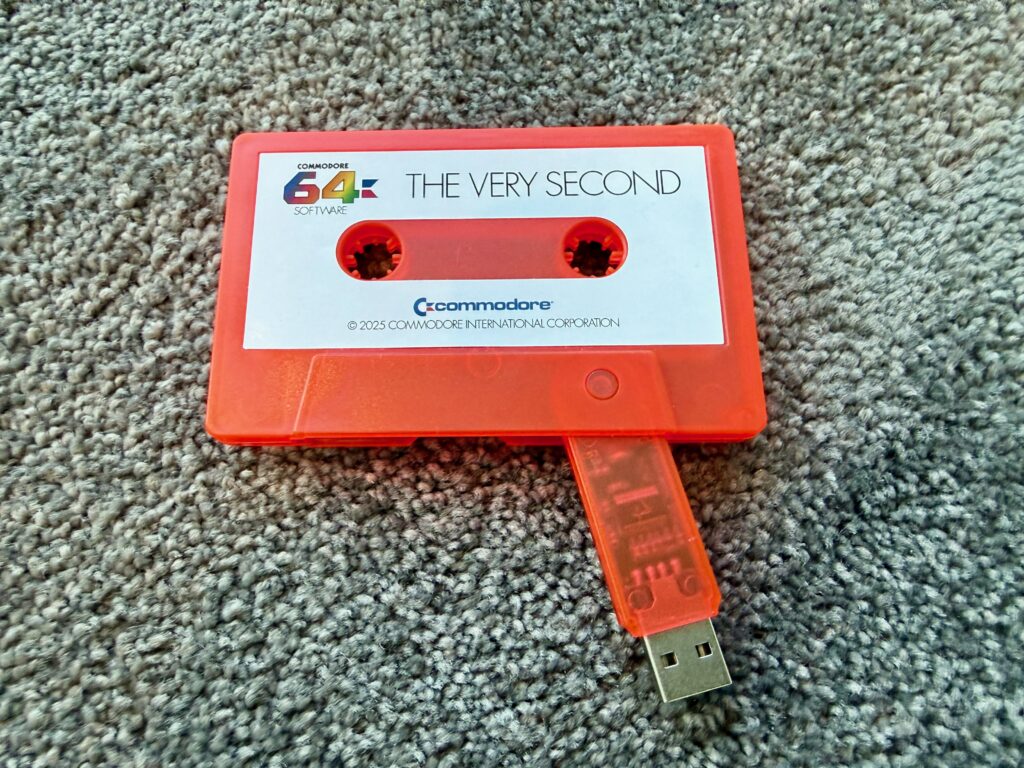
Hang on, that isn’t a tape! It’s a USB stick made to look like an audio tape. A novelty USB drive.
To understand the reference here, when the C64 launched, the only way to load and save programs was via audio tapes in a tape drive. The original 1980s C64 came with a tape called “The Very First”, with some example programs on it. So the new Commodore put a whole load of games and samples on a USB, in the shape of a tape, and called it, “The Very Second”. It’s a bit corny, and most people will likely copy the USB contents onto a more regular shaped drive for future use, and put this back in the box. But it is a cute touch.
Ok, enough with the bits and pieces, let’s get the actual unit out of the box.
The Machine
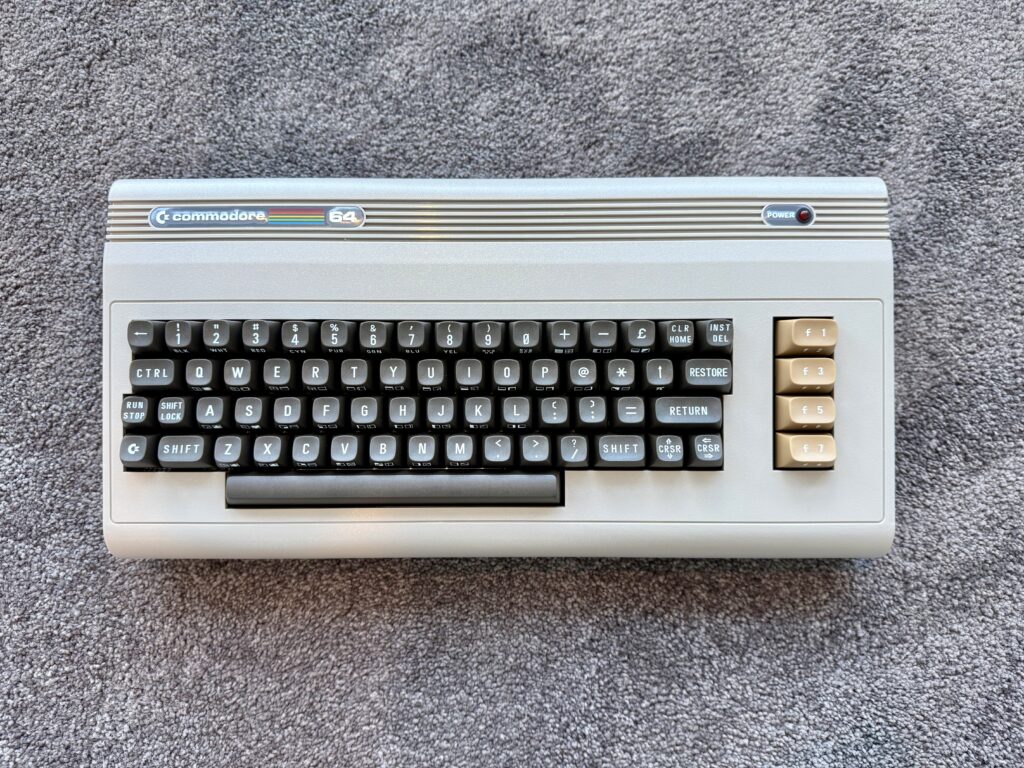
The machine is beautiful. However, one thing does stick out: my original C64 back in the 80s had grey function keys. Apparently the very first machines produced though had these orange/brown keys. So that is what Commodore has gone for here. It’s been controversial on the internet, as most people had grey it seems. But apart from that, this looks and feels like my original Commodore 64.
Let’s take a close up of the keyboard.
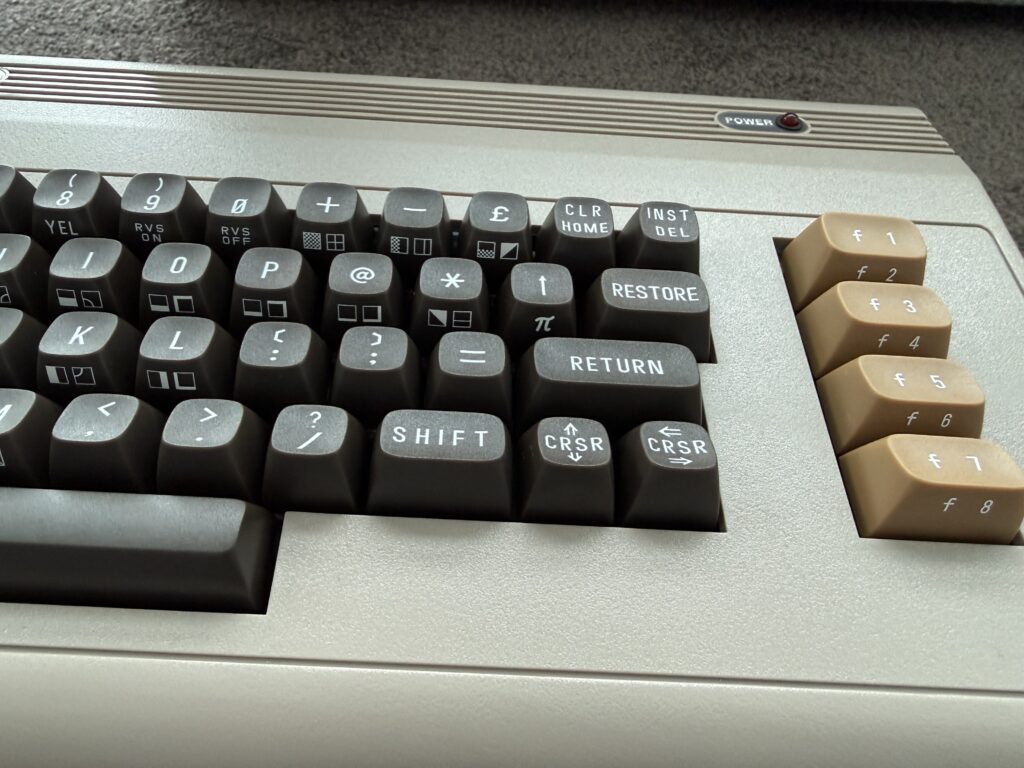
The keyboard has all the original PETSCII characters printed on the front of the keys. The keyboard itself feels really nice. Not overly bouncy, with a nice mechanical sound. The only key that isn’t quite right is the SHIFT LOCK. On an original C64 you could press it, and it would “lock” and stay down. Apparently no one makes key mechanisms like that anymore, so this is just a normal key.
Before you go off the handle over the SHIFT LOCK key, if you own an original C64 you can actually replace this keyboard with an original one. Commodore include the connector for a C64 keyboard on the inside of the board (we’ll take a look at that shortly).
The Ports
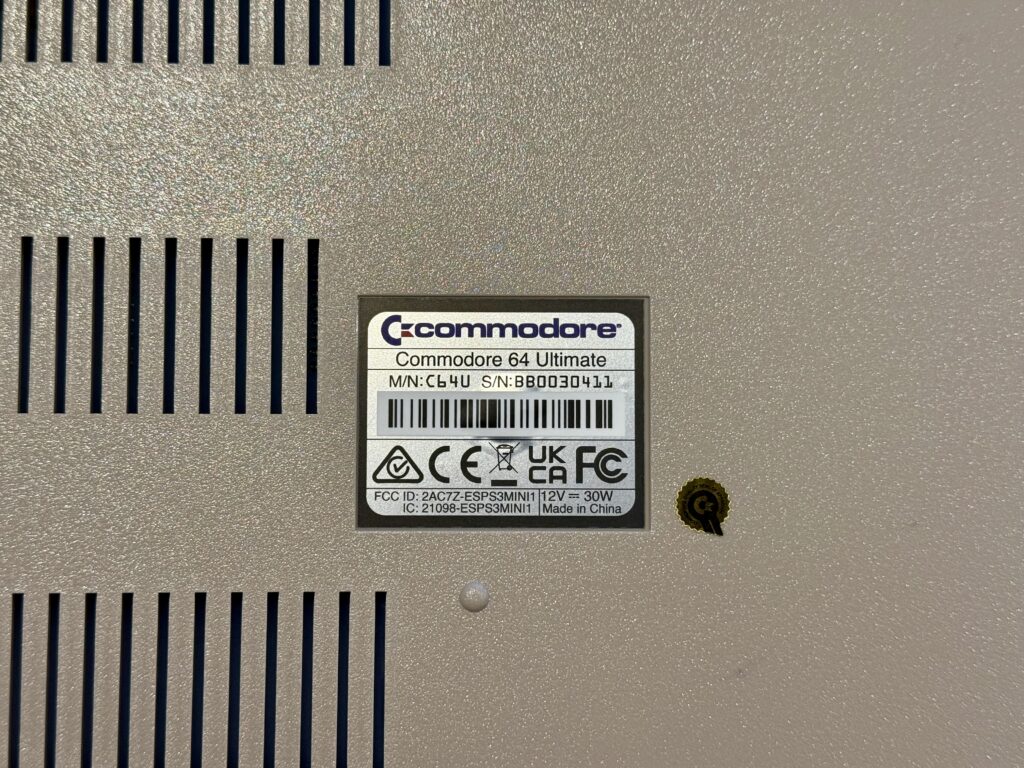
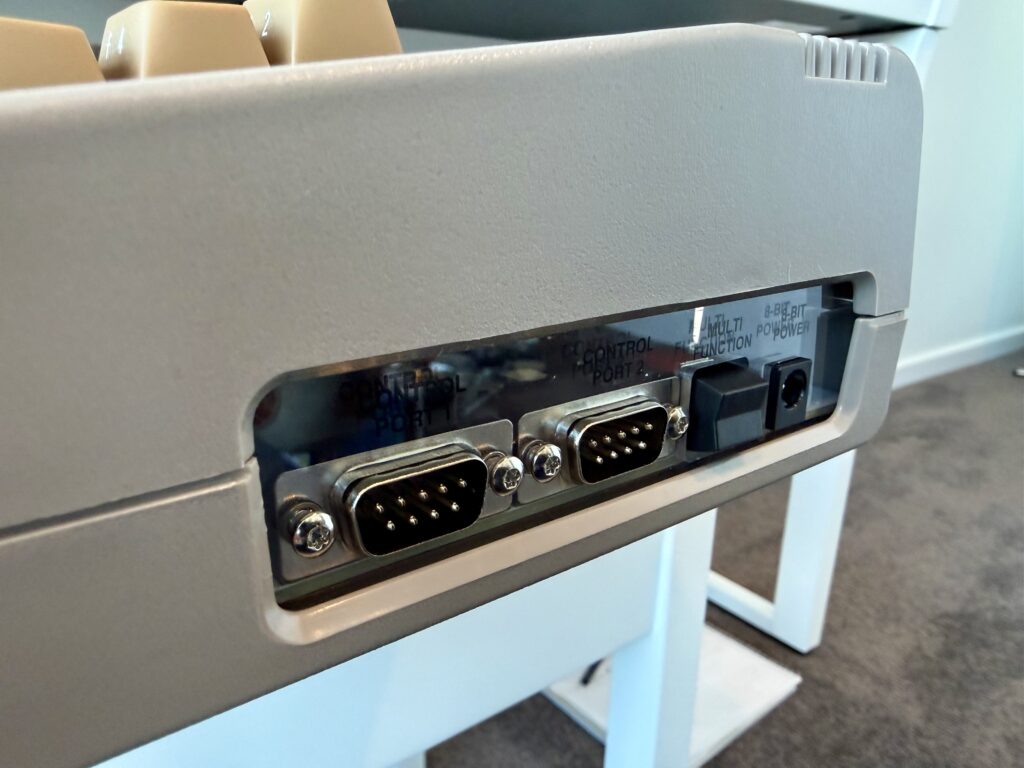
Here’s the bottom of the machine showing my serial number. And the right side showing the original-style joystick ports. One thing you’ll notice here is that the power switch is a multi-function switch, not just power (you can push up and down to do different things). And the panel is transparent – you can actually see inside. More on that later.
The back gets interesting.
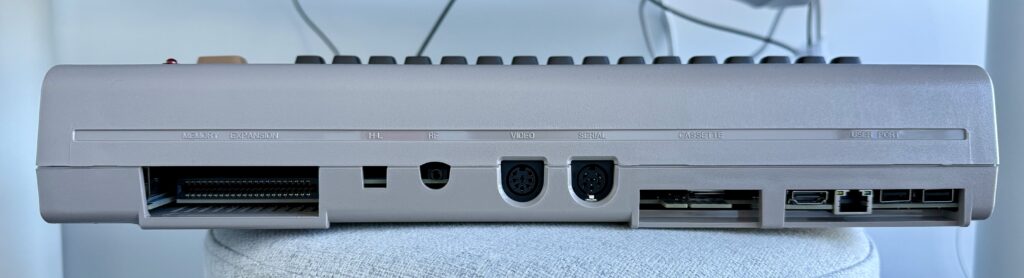
We have the original cartridge port on the left. We then have the H-L switch and RF port replaced with an empty space and a 3.5mm headphone jack with optical S/PDIF. You then have the original analog audio/video out port, and the original serial port. Next is the original cassette port.
The user port is replaced with modern ports: HDMI out, ethernet, and two USB-A ports. The original machine’s user port was rarely used by end users. However, it is still there on the board itself, so people who really need it to connect to some legacy device can get to it. We’ll see more of that later.
The User’s Guide
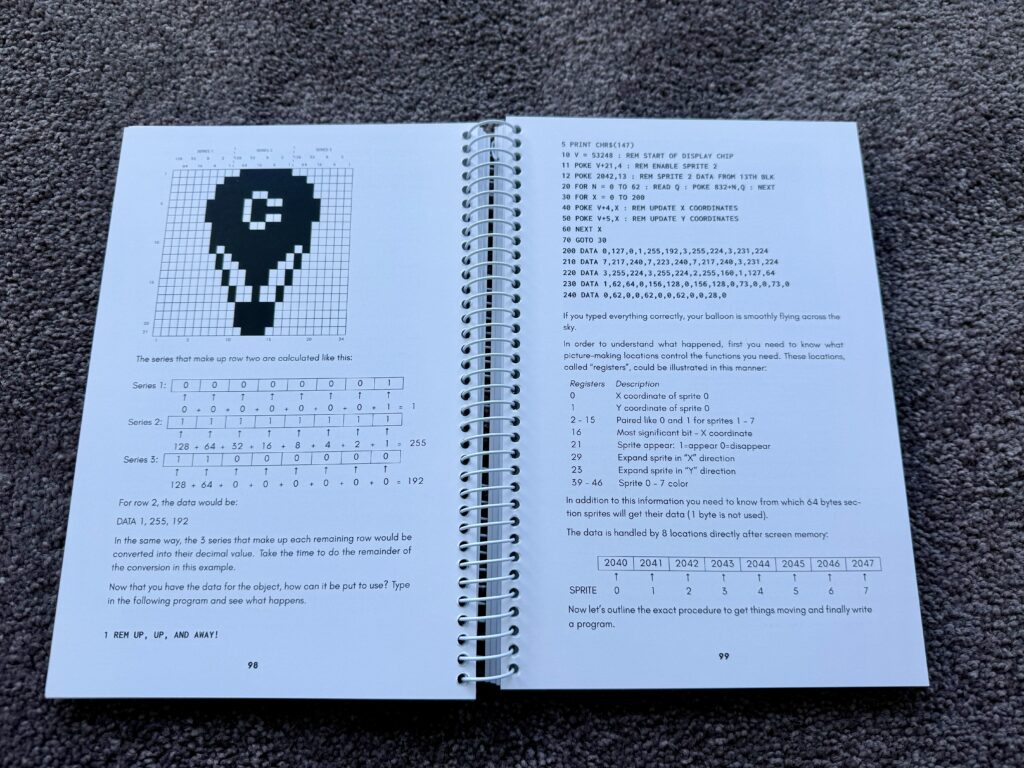
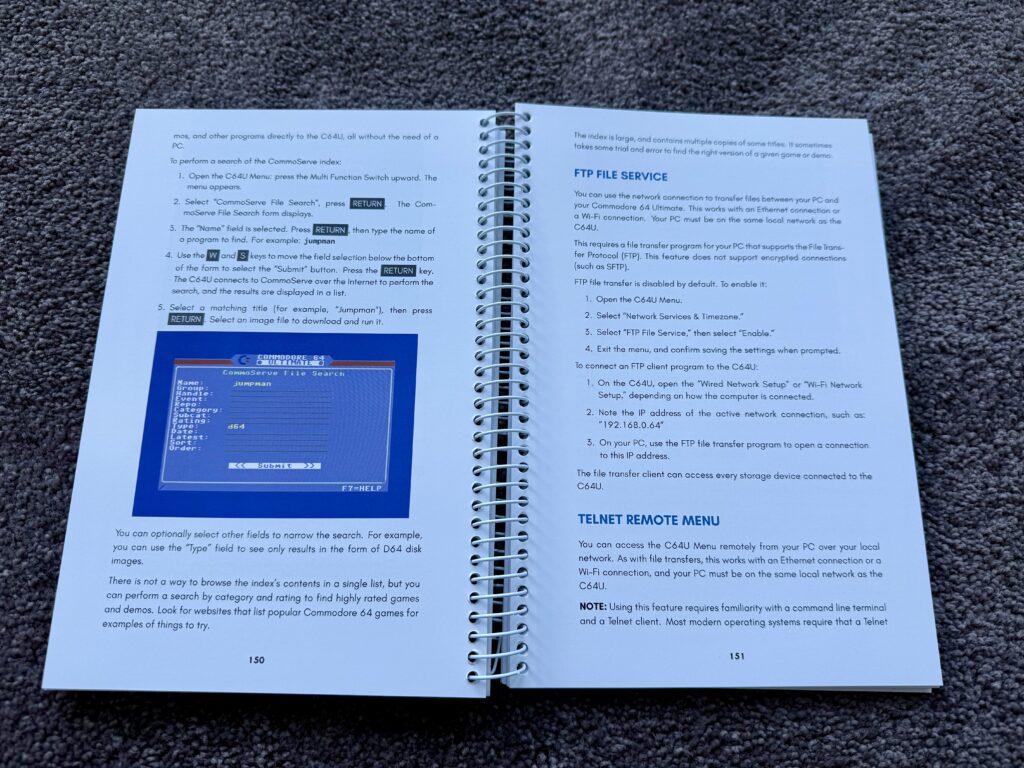
The original C64 came with a big spiral-bound user guide, that included information on how to program the C64 in BASIC (a computer language that beginners used in the early years of computing). Commodore have included it here, updated to include information on modern features, along with classic features.
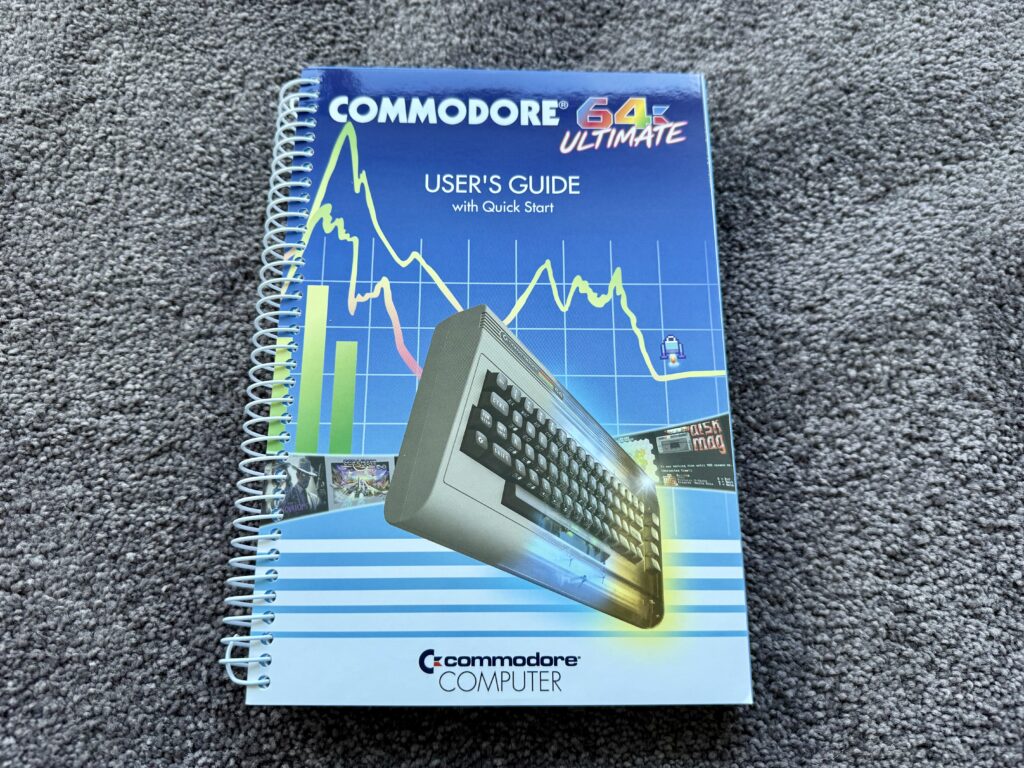
Here are two pages from the guide, including some coding examples, and some information on newer features of the computer (FTP and telnet).
Ok, so now, let’s open the machine up!
Inside the Machine
Yes, unlike most devices, Commodore actually encourage you to open the machine (you don’t void the warranty).
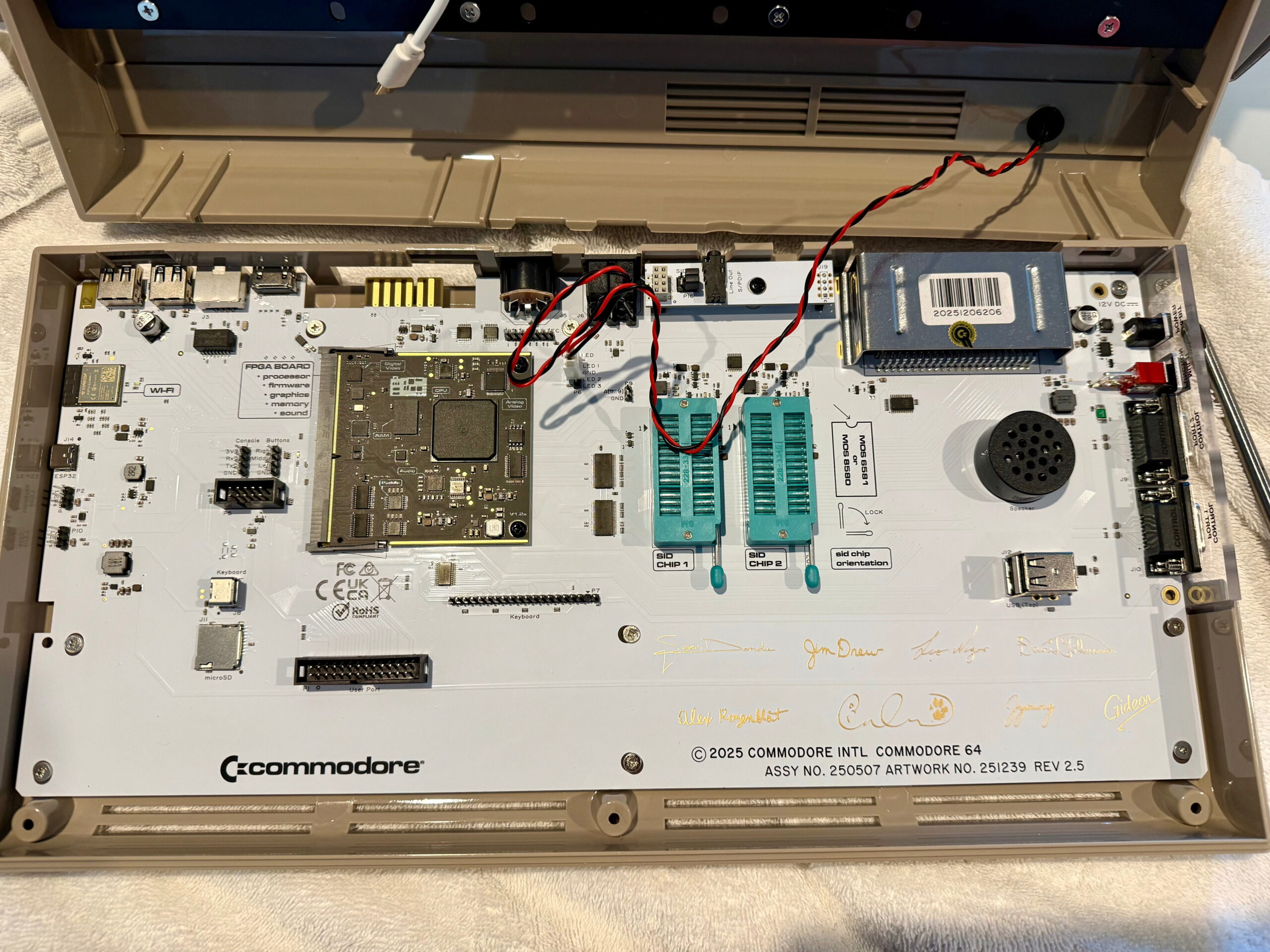
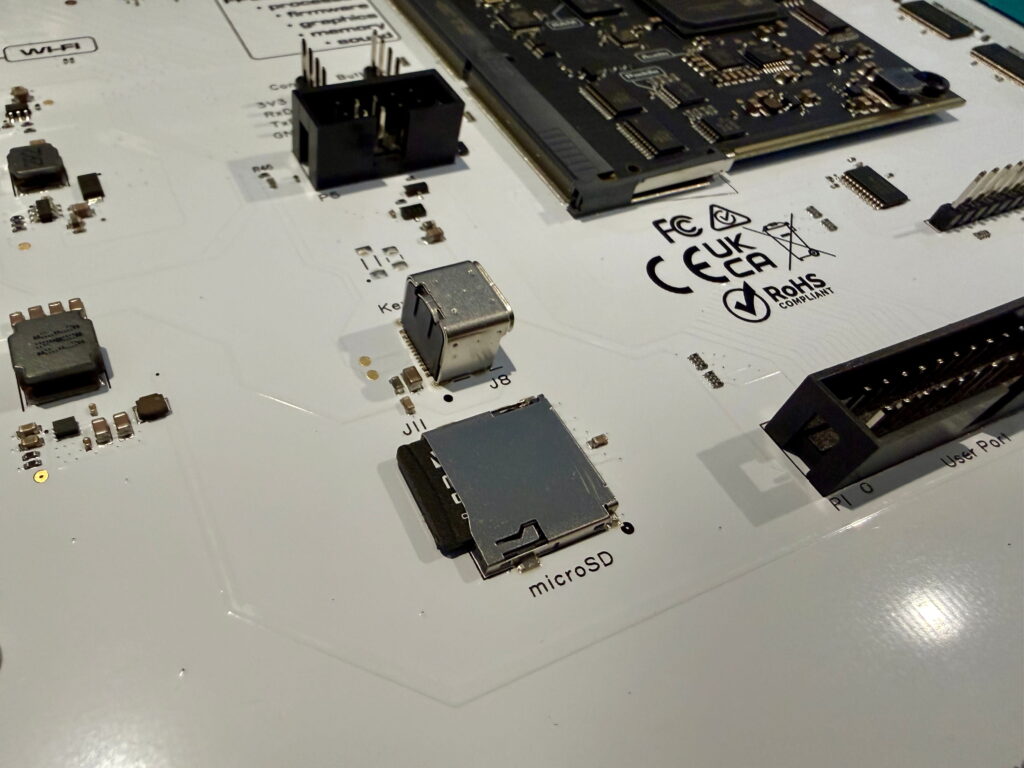
To the bottom left is the user port (that was missing on the back). if you want to connect to it you can bring a cable out the back. There is also a keyboard connector so you can connect an original C64 keyboard if you want to use one. There are other connectors so you can add LEDs if you want and control them from the C64U, or other special functions. Hack away.
But what is that at the bottom right?
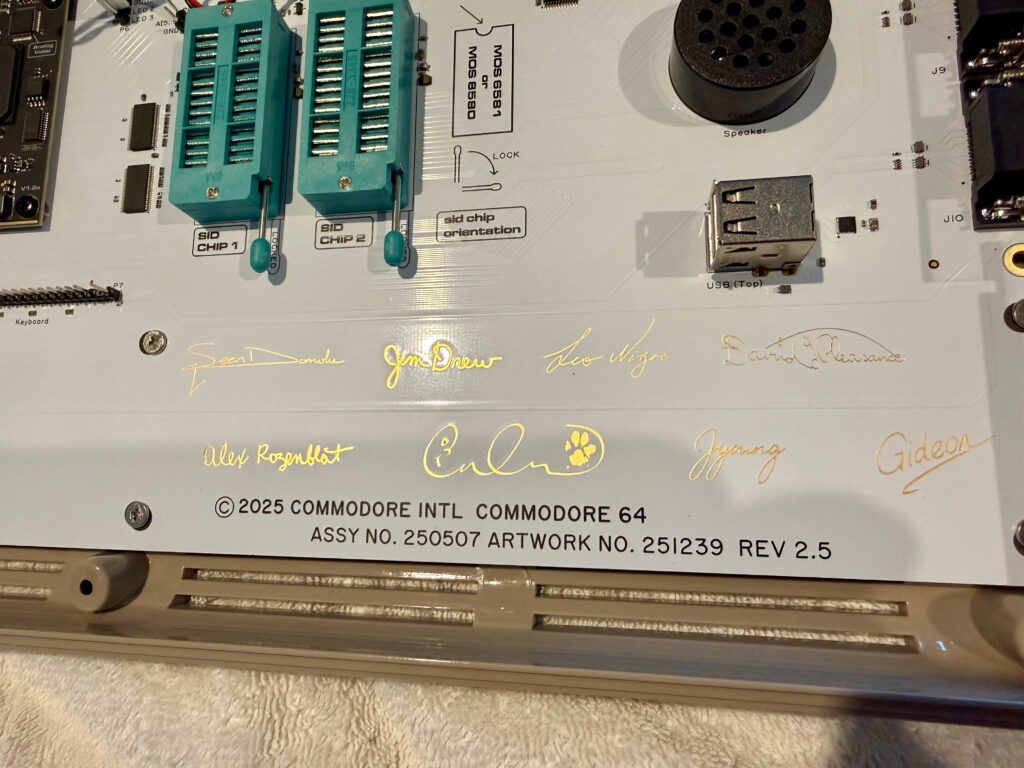
Signatures of all the people involved in the project are included on the circuit board. Also a dog print. This is cute, and reminiscent of the original Apple Mac’s inner casing with the signatures of its creators inside.
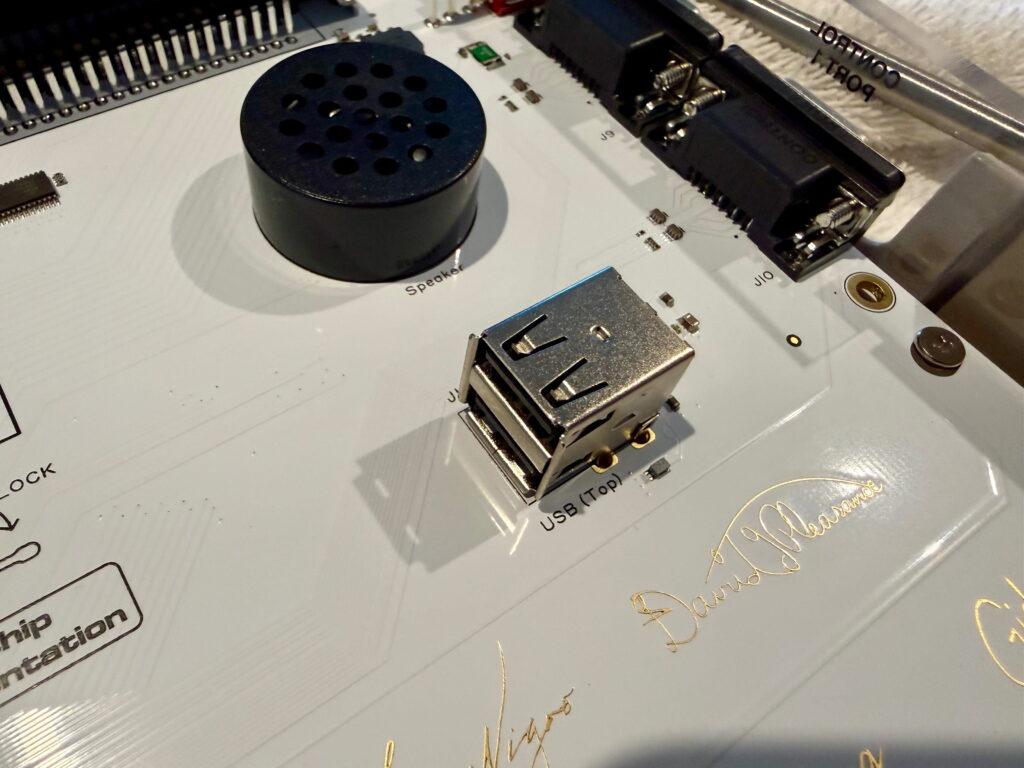
There is also an extra USB port inside, and a Micro SD card slot. So you can put all the programs you have for the commodore onto an SD-card, put it inside the machine, screw it back together, and you are good to go with immediate modern access to all your programs.
In the centre you’ll see some empty slots for SID chips.
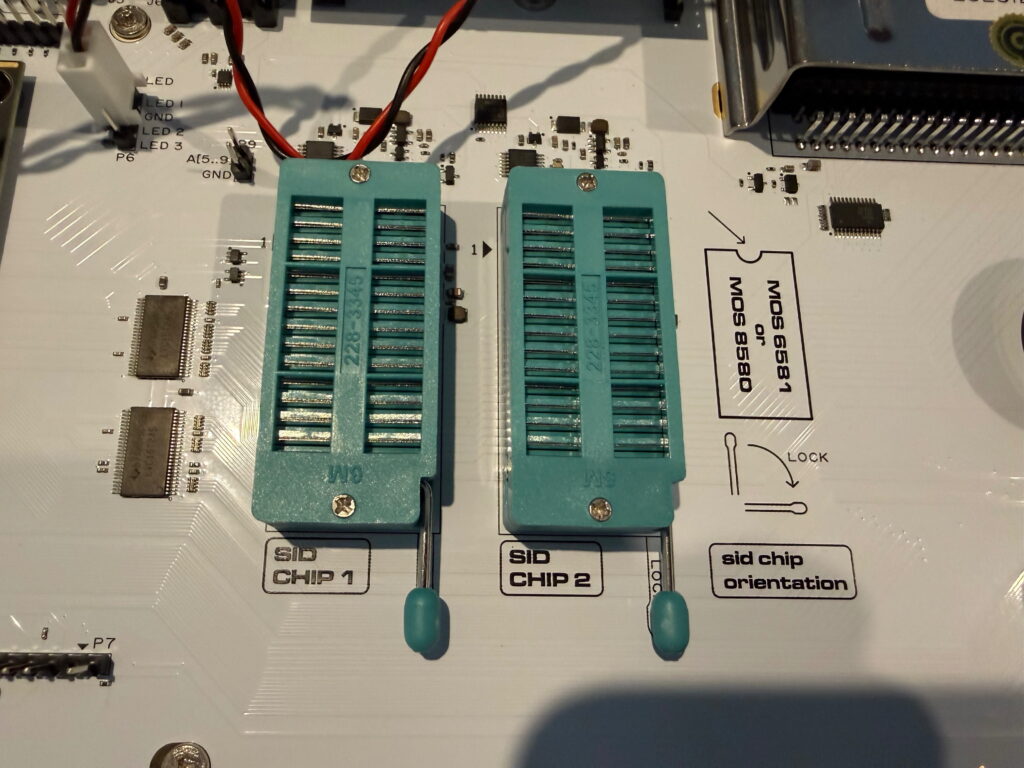
The original C64 had a single SID chip for sound and music. If you have actual chips from an old C64 you can pop them on this board and configure it to use them rather than the virtual SIDs. Some people prefer the sound of the original SID chips (and different versions of the chips sound different).
Note I said “SIDs” plural; this machine can play music on 8 SID chips (6 of them would be virtual, and 2 real or virtual). I’ll demo this later.
So, what about turning this on?
Using the Machine
Turning on the machine behaves exactly like turning on an original C64: you are presented with a blue screen and a “READY” prompt. However, you can bring up an internal menu to load from an internal USB/SD-card, configure the machine, and even access the internet. Here’s a brief look at many of the menu options.
As mentioned, the C64U has modern conveniences including connecting the to the internet. Here is a video showing connection to Commodore’s CommoServe service to download a game and run it.
When loading from a virtual disk (say a USB drive), the C64U will emulate the sounds of a disk drive. This is very nostalgic (you can turn it off if you don’t like it). I tried to capture that sound in the video below.
Recall I mentioned the C64U has 8 virtual SID chips? Here’s a demo running on the C64U using all 8. You couldn’t run this on an OLD C64 (as it had only 1 chip). So there is the possibility for new games to make use of the extra SIDs available in the future (and some software has already started doing so).
As a final video, the C64U also comes with GEOS. This was released in 1987 – the first graphical user interface for the C64 (the Mac had come out in 1984). It’s amazing it can do what it is doing with the limited processing power and memory it had. Totally amazing.
Alternatives
If you are wanting to run C64 software today there are a number of alternatives to buying a C64U.
You could buy an old machine and connect it to an old TV, say. That’s too much work for many, and given the age of the hardware you may need to fix the machine, which means replacing components (soldering etc.). Not many people have the skills, time or money for such a venture.
There are software emulators you can get for all the major platforms for free. They will give you access to all the software, though without the original-style keyboard. It’s a cheap way to play some C64 games however.
There are also standalone consoles, like the THEC64 Mini. This will give you access to all the games (via USB), but without the keyboard.
And finally, the other real alternative is the THEC64 Maxi. This is basically THEC64 Mini, with an original-style keyboard, and is the closest competitor to the C64U. You can read my full review of THEC64 Maxi.
So how does the C64U compare to the THEC64 Maxi?
Visually, they look similar. The colour is close, but slightly different. The keyboard on the C64U is MUCH better – it feels more premium and is much nicer to type on. And because Commodore made the C64U it has a real Commodore key in the bottom left, and can say “Commodore” on the top left.
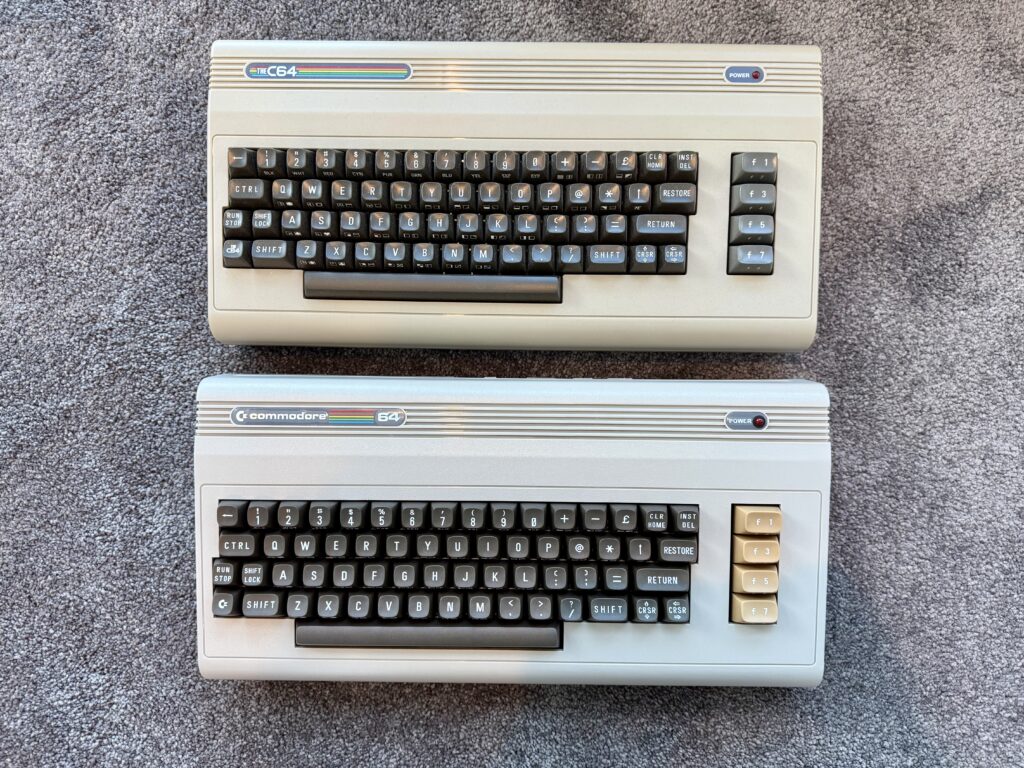
Here’s a side-by-side comparison. The plastic on the C64U is better too, with a rough texture around the keyboard. TheC64 is taller, even though it is mainly empty.
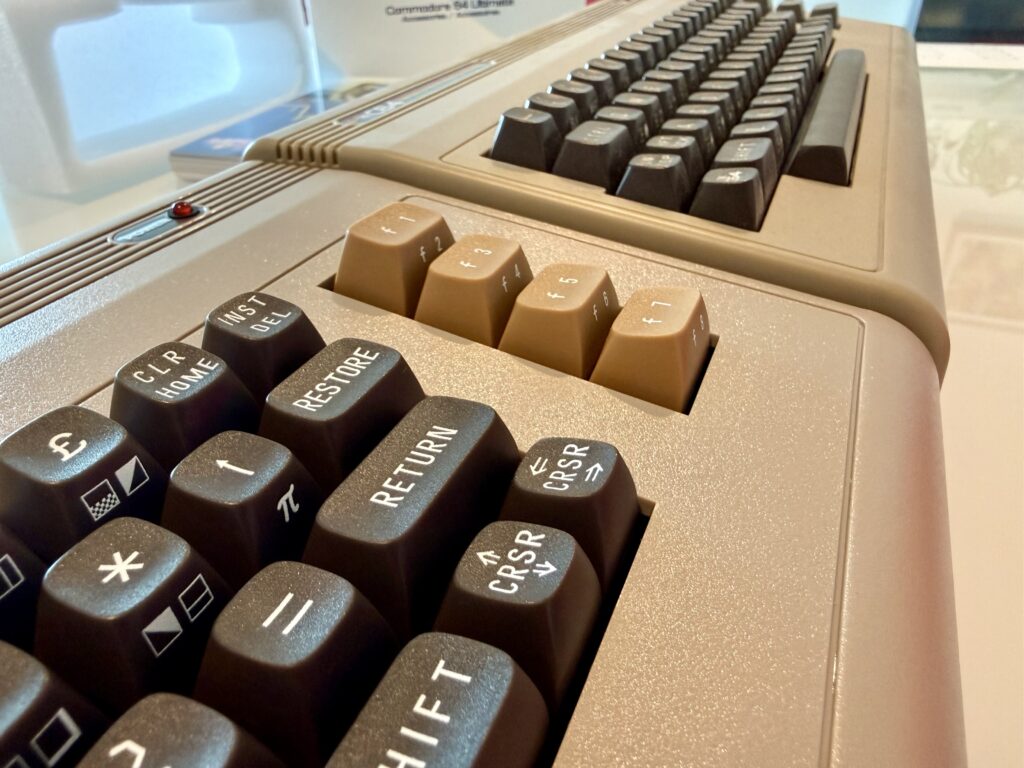
The C64U has cycle-accurate emulation thanks to the FPGA architecture, and has vastly more compatibility with external peripherals. THEC64 Maxi has the advantage of having grey function keys. It is also a lot cheaper (1/3 of the price these days) as it does software emulation rather than using FPGA, and doesn’t have backward compatibility with legacy peripherals. However, THEC64 Maxi is still a fine machine, especially if your main aim is to play some nostalgic video games and you want quick access to them. It can also emulate a VIC-20, which may also be of interest to a casual user.
Conclusion
Overall, the Commodore 64 Ultimate is one of the best retro computer releases we’ve seen so far. The attention to detail is amazing. It has clearly been made with a lot of love and nostalgia. It’s not cheap, but if you love the Commodore 64, and you want the most authentic C64 experience today with modern parts, this is the best way to achieve that. Highly recommended.
If you like what I do on this site and want to support me, you can always buy me a bubble tea (I don’t drink coffee). If you don’t like what I do, that’s fine too – you can’t please everyone.
Fantastic article. I feel a little happier about the world knowing there are people out there with a passion for something as wholesome as the C64.