
In January 1982 the Commodore 64 was born – an 8-bit powerhouse of home computing. It rapidly took over the decade, moving between 12.5 and 17 million units to crown itself the highest-selling desktop computer model of all time.
Lovingly referred to as the “C64”, the system became a cultural phenomenon, powered by a library of more than 10,000 software titles—heavily driven by its famous video games.
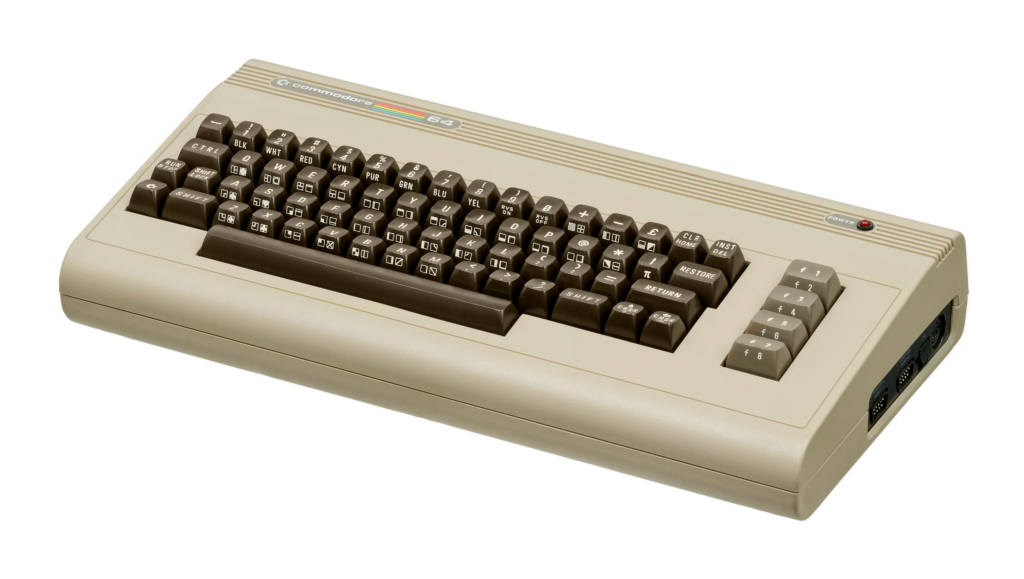
The C64, even today, has a passionate community. New software is still being developed, and many people who owned one in the 80s are keen to rekindle their relationship with this machine in the modern era.
Enter THEC64.
The Original Commodore 64
First, let’s look at the specs of the original C64:
| CPU | MOS Technology 6510 running at 1.023 MHz (NTSC) or 0.985 MHz (PAL) |
| RAM | 64 KB of dynamic RAM, 1 KB of colour RAM |
| ROM | 20 KB total, containing Commodore BASIC V2, the KERNAL, and character generators |
| Graphics | VIC-II chip, with 320 × 200 pixel resolution, 16 fixed colours, 40 columns by 25 rows character mode, support for 8 hardware sprites per scan line |
| Sound | SID 6581 chip, with 3 independent oscillators, 4 different waveforms, programmable filters, and envelope generation |
| Keyboard | 66-key QWERTY style layout with function keys and special Commodore symbols (PETSCII) |
| Ports | 2 joystick/controller ports (DB-9), expansion cartridge slot, cassette deck port (Datasette), user port, and serial bus (IEC) for disk drives |
| Storage | Optional external Datasette cassette recorder or 5.25-inch floppy disk drive (Commodore 1541) |
| Networking | External modems and high speed serial cartridges |
| Video Out | Integrated RF modulator television antenna output via an RCA connector; 8-pin DIN connector containing composite video output, separate Y/C outputs and sound input/output |
These are low specs compared to today’s computers but for its day this computer produced an incredible array of enjoyable software titles.
THEC64 (Maxi)
In 2019, Retro Games Ltd. released THEC64. This is a full-sized, working replica of the iconic 1982 Commodore 64 home computer. It modernises the classic “breadbox” design with HDMI video output, USB ports, and 64 pre-installed games.
Retro Games had previously released THEC64 Mini, so to avoid confusion, this new product is lovingly referred to by many as “THEC64 Maxi”, given it is a full-sized, larger version of the Mini.
Retro Games licensed the ROMs for the C64, but did not have a licence to use the name or logo of Commodore, hence the iconic name and Commodore logo are not seen anywhere on the machine.
Here are the specs of THEC64 Maxi:
| CPU | Quad-core ARM CPU |
| RAM | 256 MB RAM |
| Graphics | Emulation via the VICE emulator |
| Sound | Mono SID sound emulation |
| Keyboard | 66-key QWERTY style layout with function keys and special Commodore symbols (PETSCII) |
| Ports | 4 USB-A 2.0 ports (three on the right side, one on the rear) for connecting controllers, flash drives, or USB mice/keyboards, Micro-USB power |
| Storage | 2 GB of internal flash storage, external storage via USB-A ports |
| Networking | None |
| Video Out | 720p high-definition video via HDMI (supports 4:3 pixel scaling, CRT filters, and 50/60Hz PAL/NTSC switching) |
These machines actually sold out quickly and became quite rare at one point, fetching high prices on the second-hand market. I did eventually pick up a brand new unit in 2024, quite some time after release. The following is an unboxing and review of that unit.
Unboxing
I found one for sale on Facebook Marketplace, and risked getting mugged travelling to Springvale to buy it from some stranger (who turned out to be a nice bloke from the UK who brought over with him a number of THEC64s and THEVIC20s and never got to using them).
The Box
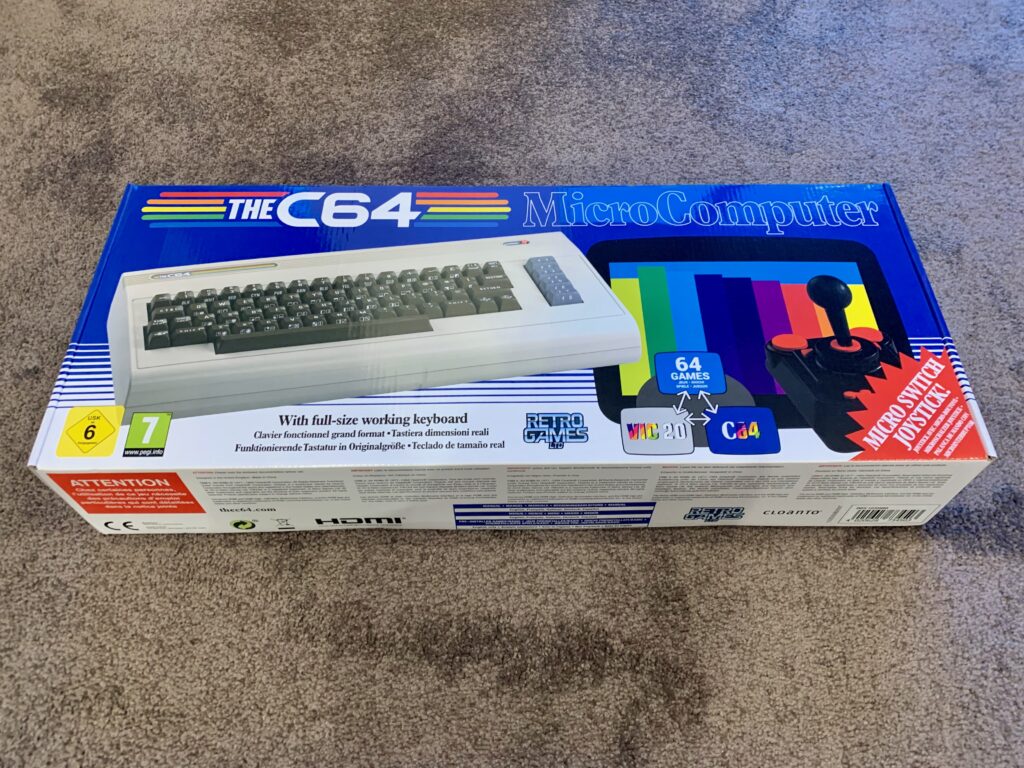
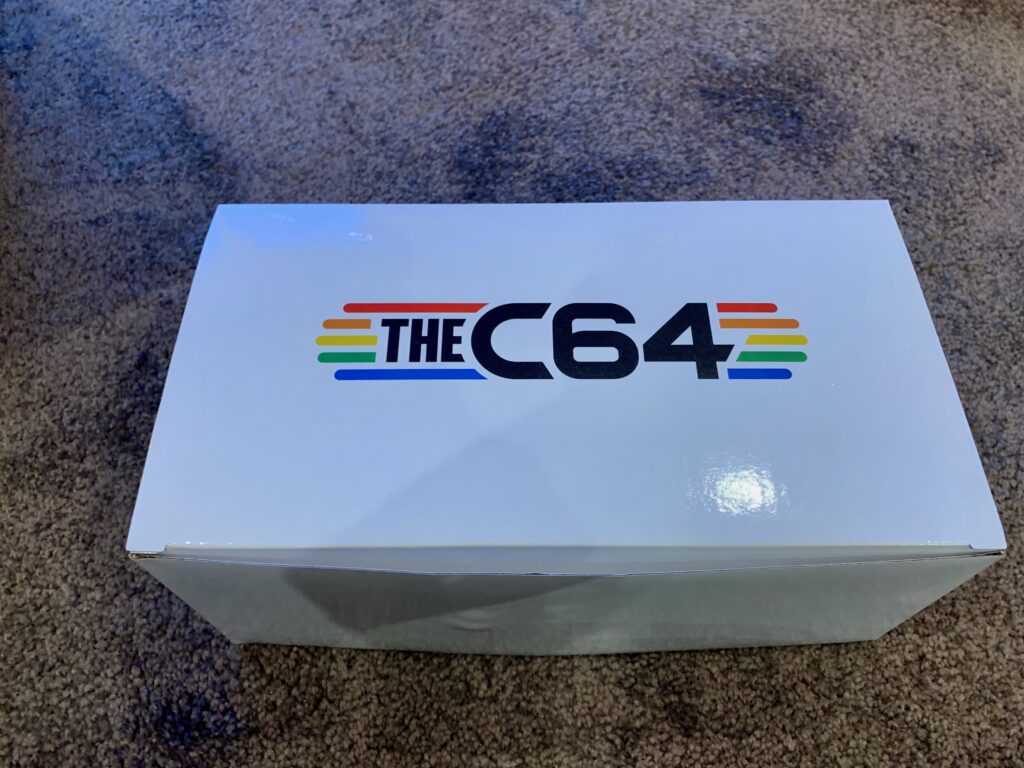
The front of the box is reminiscent of an original C64 box, though a little brighter. And there is no mention of Commodore or the Commodore logo to be seen.
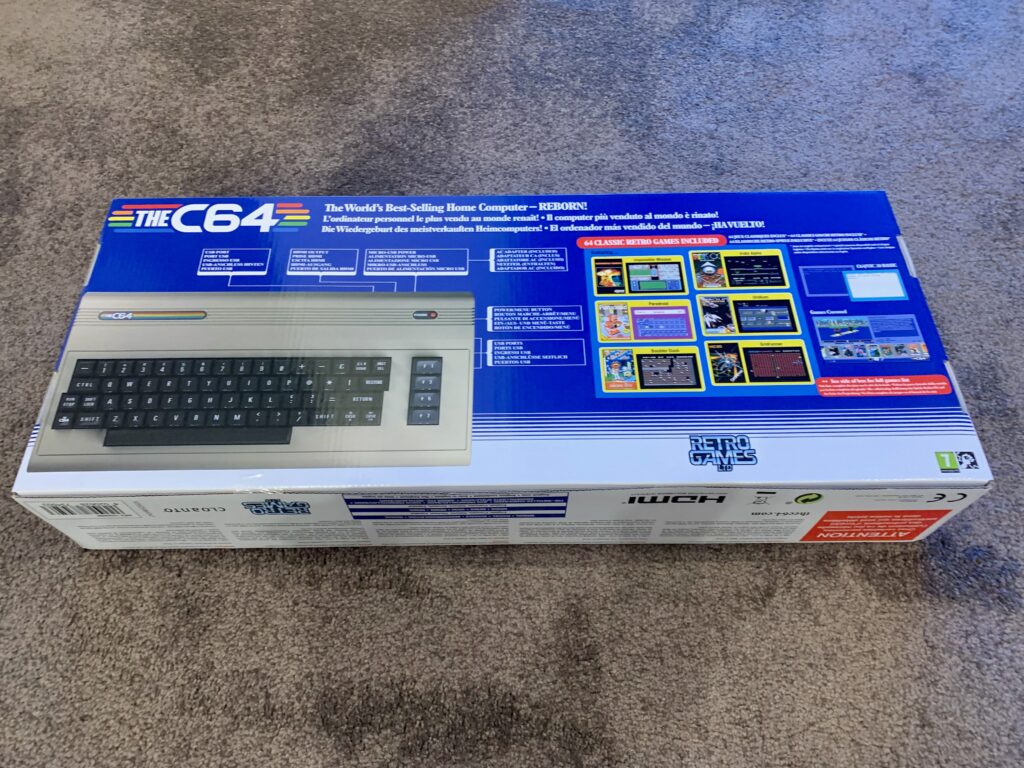
The back of the box lists some of the features and games that are included.
Here are some closeups of the back of the box.
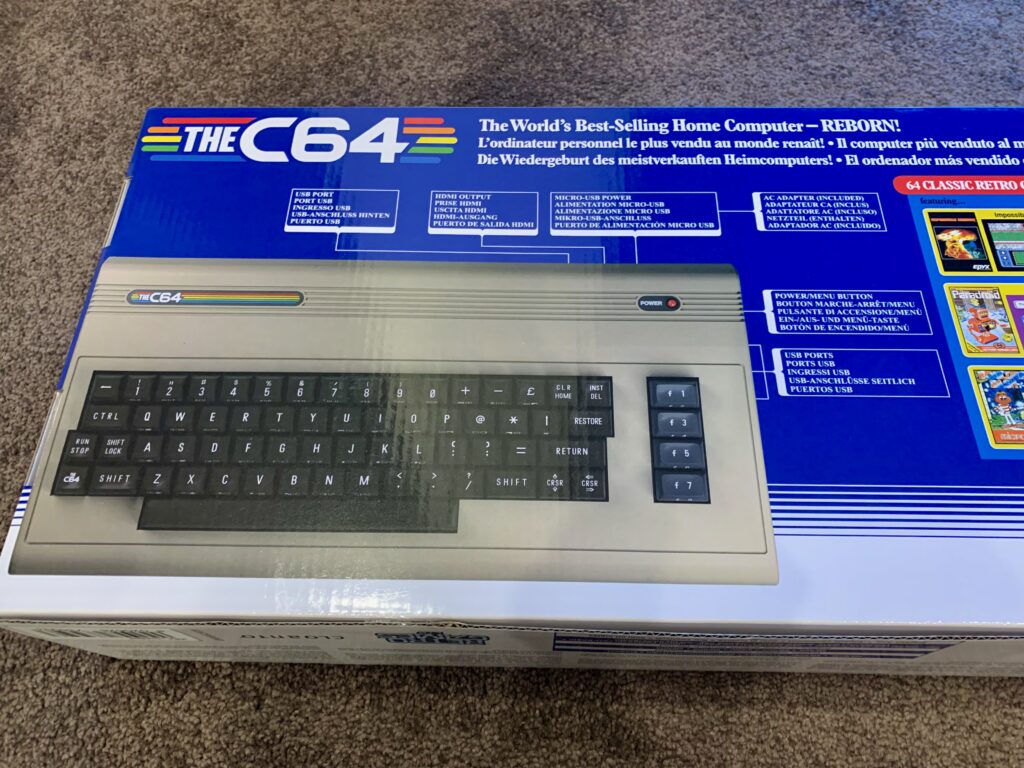
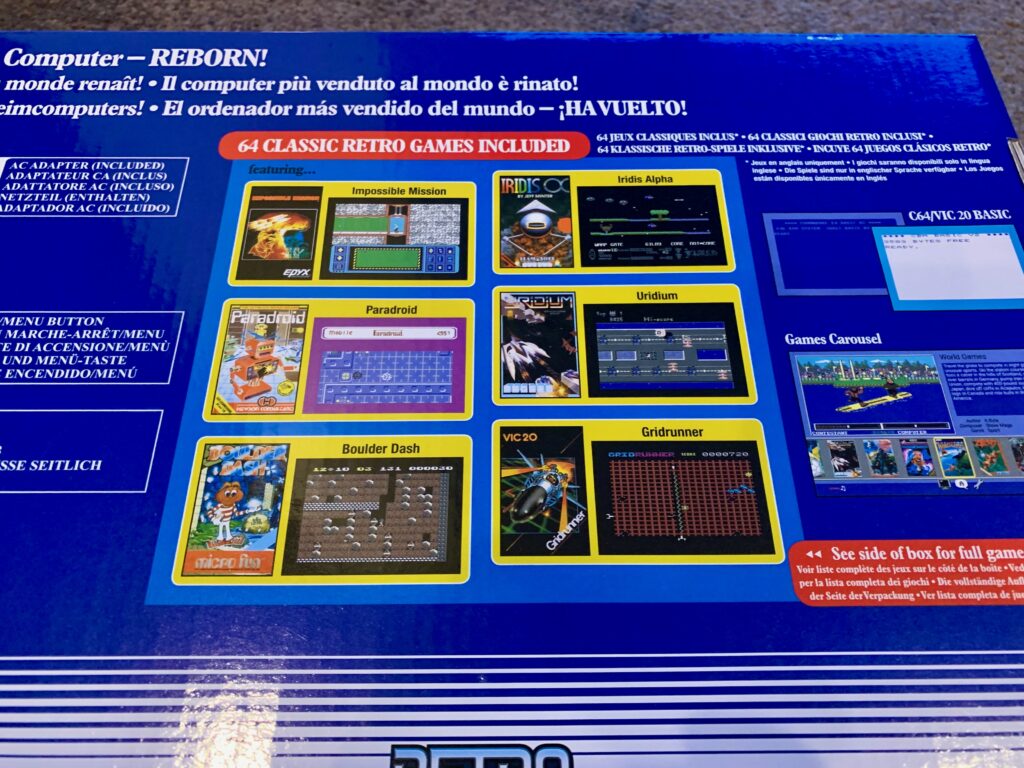
The box text is in multiple languages.
Opening the Box
Opening the box we see the unit on the left, and another box on the right.
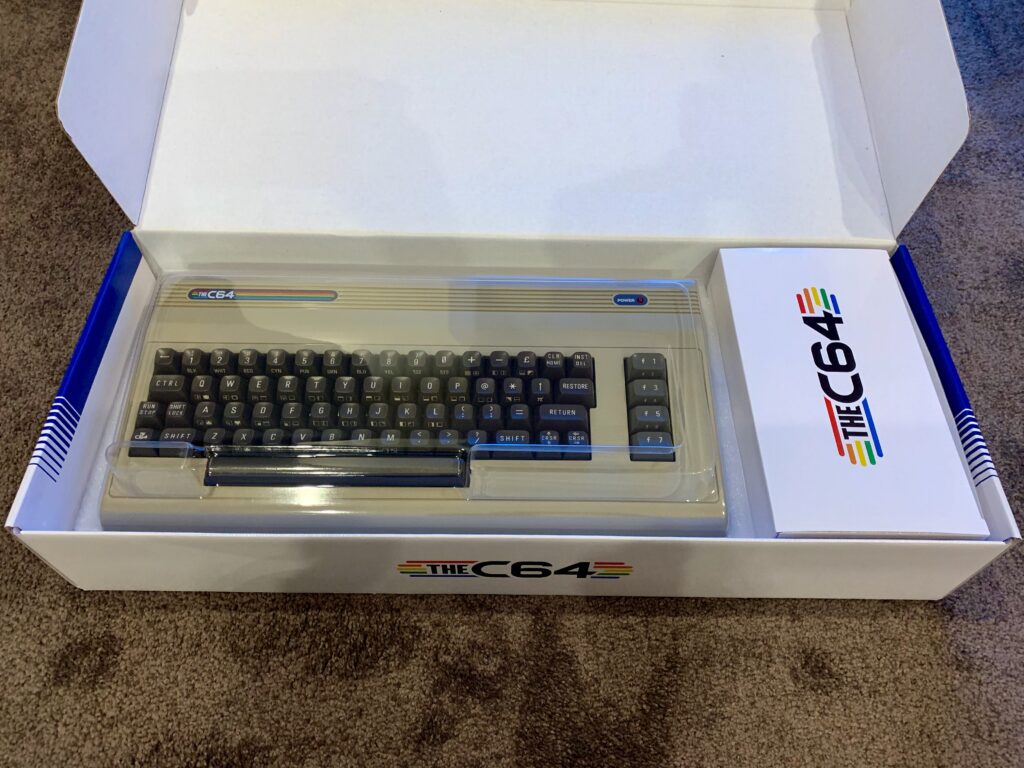
The unit has a nice plastic protective packing cover that also doubles as a dust jacket of sorts.
What’s in the Box?
Opening the smaller box we find THEC64 Microswitch Joystick, HDMI cable, Micro-USB power cable and adapter, and a very minimal Quick Guide.
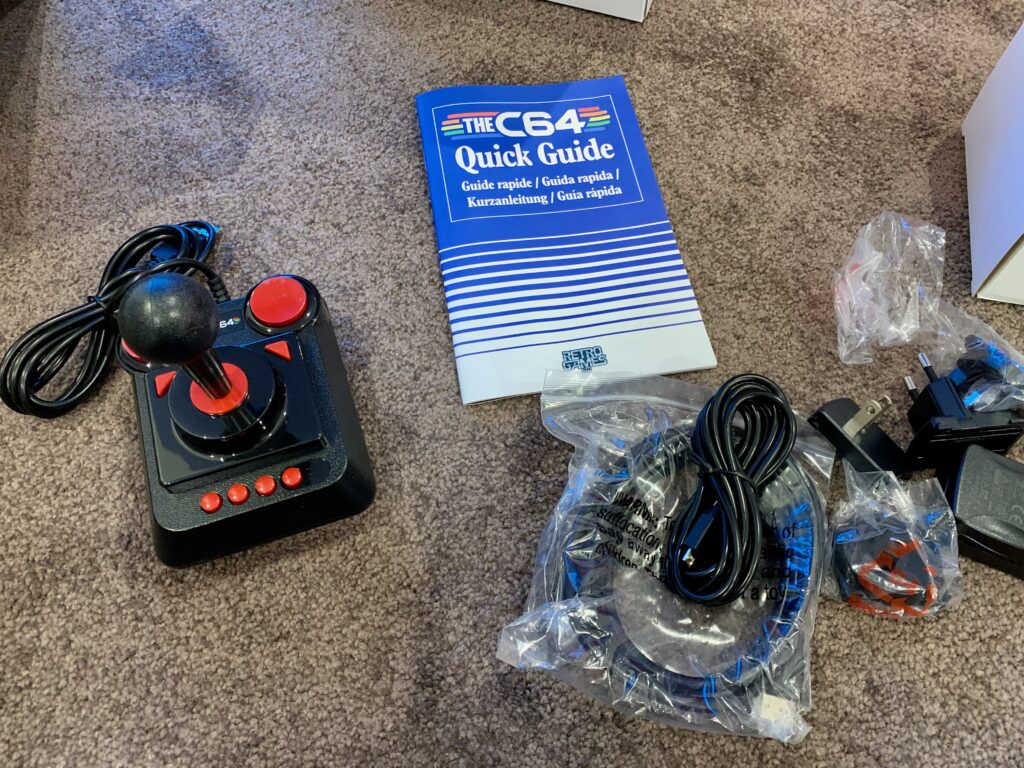
On the Retro Games website they link to a much more substantial user manual.
The Machine
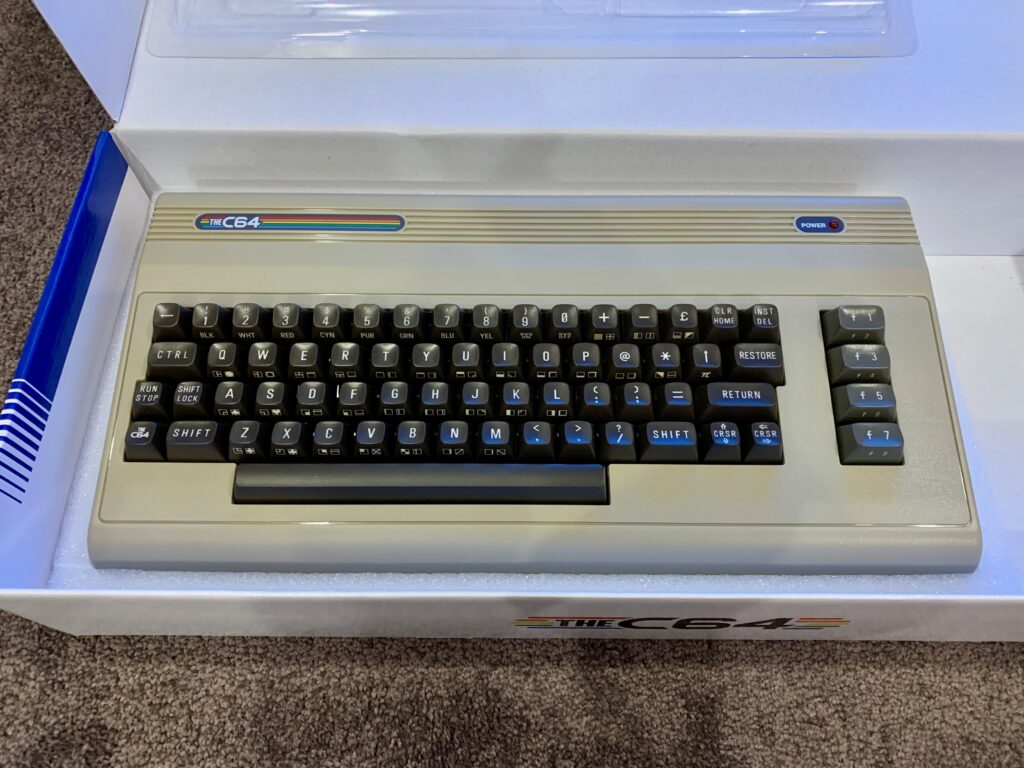
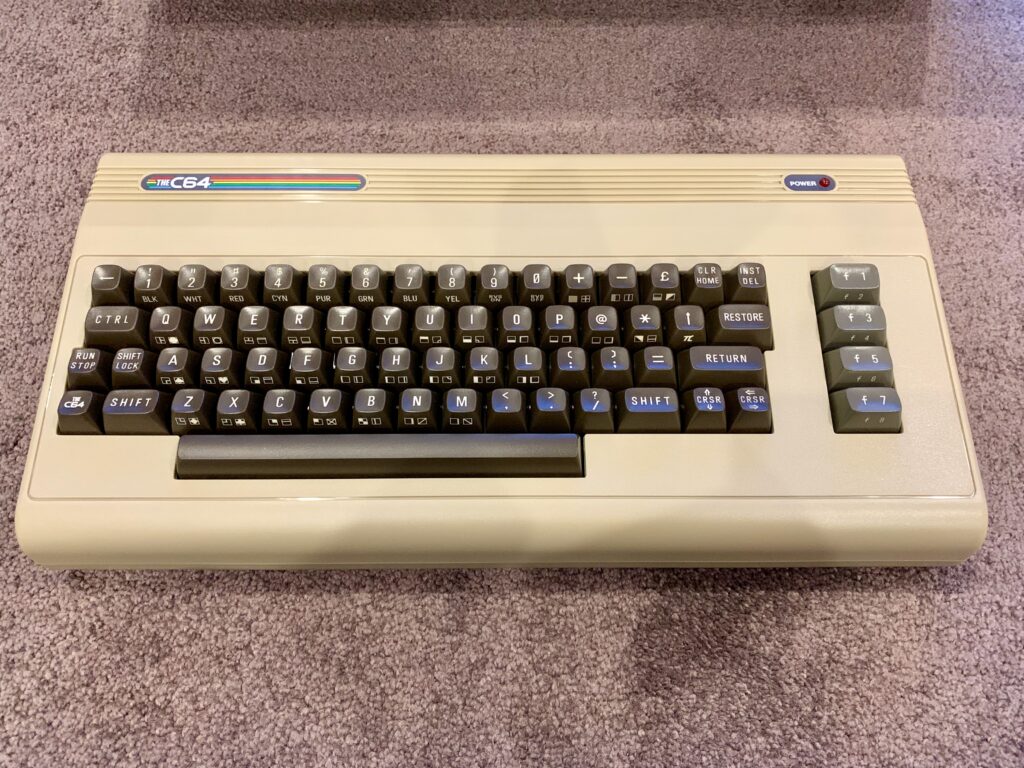
The machine looks very much like an original C64. Though it is worth noting that the label at the top says “THEC64”. There are replacement labels people can purchase to replace this label to make it look more like an original Commodore 64.
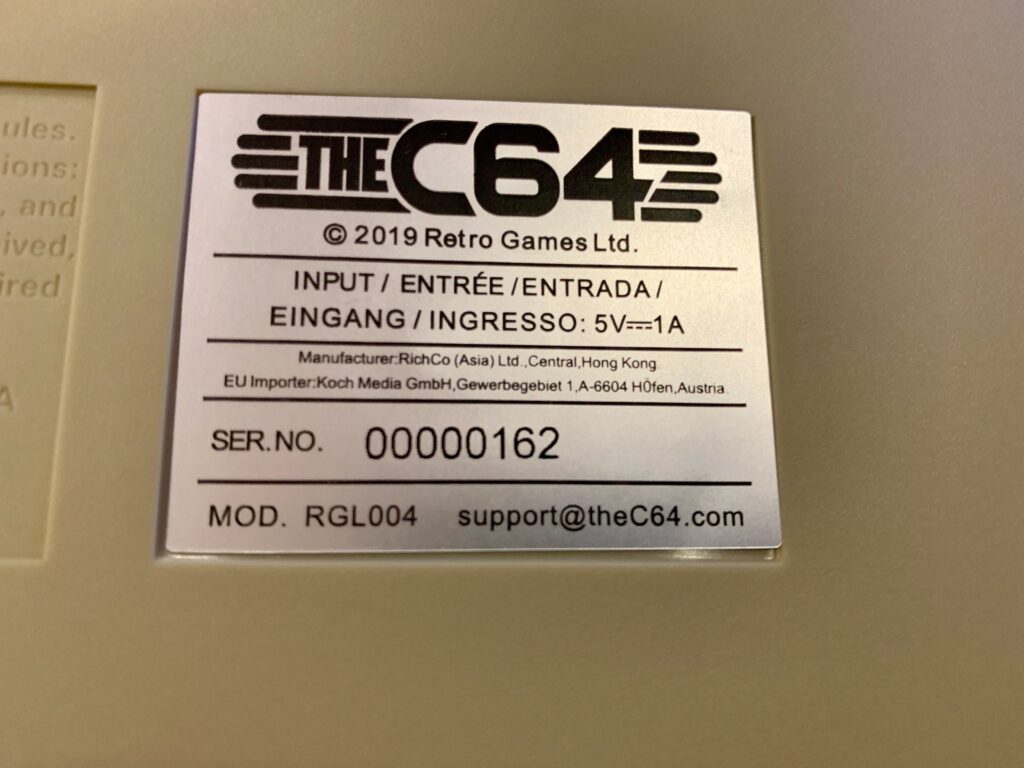
Just for completeness, here is the serial number. It has quite a low serial number (162). This sticker is crooked, by the way, so quality control was not too good on putting these together.
It’s worth taking a closeup look of the keyboard. The keyboard is nice, though a little soft. It has all the original PETSCII characters on the front of the keys, and grey function keys as many people had back in the 80s (some early machines had brown-orange function keys).
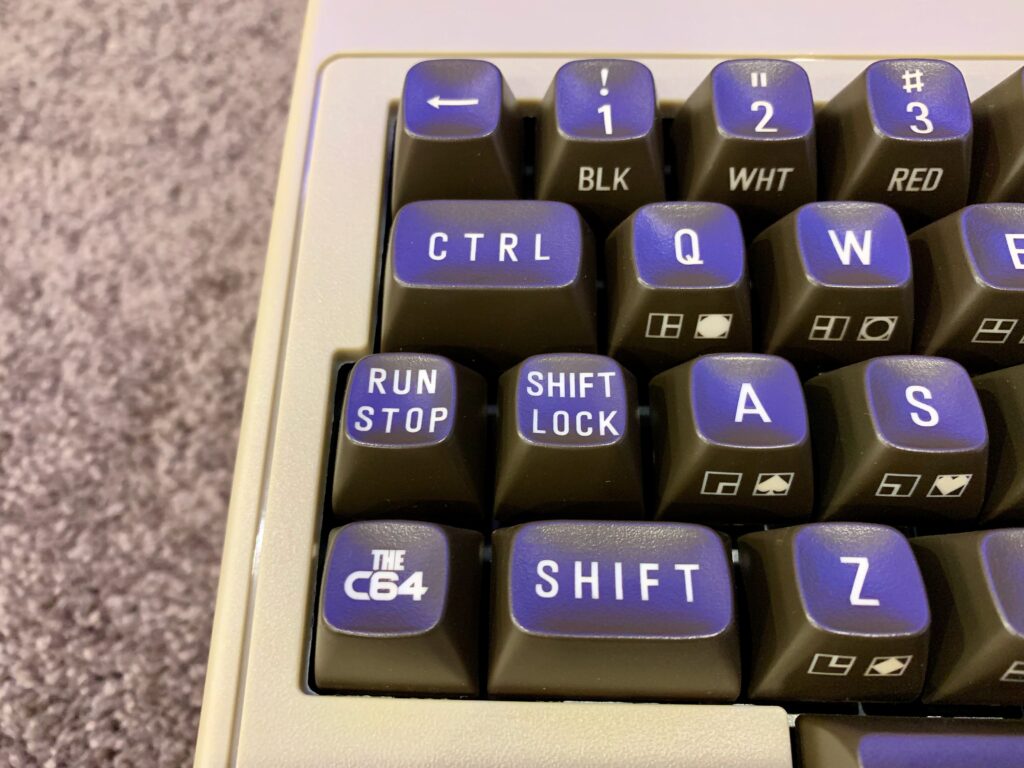
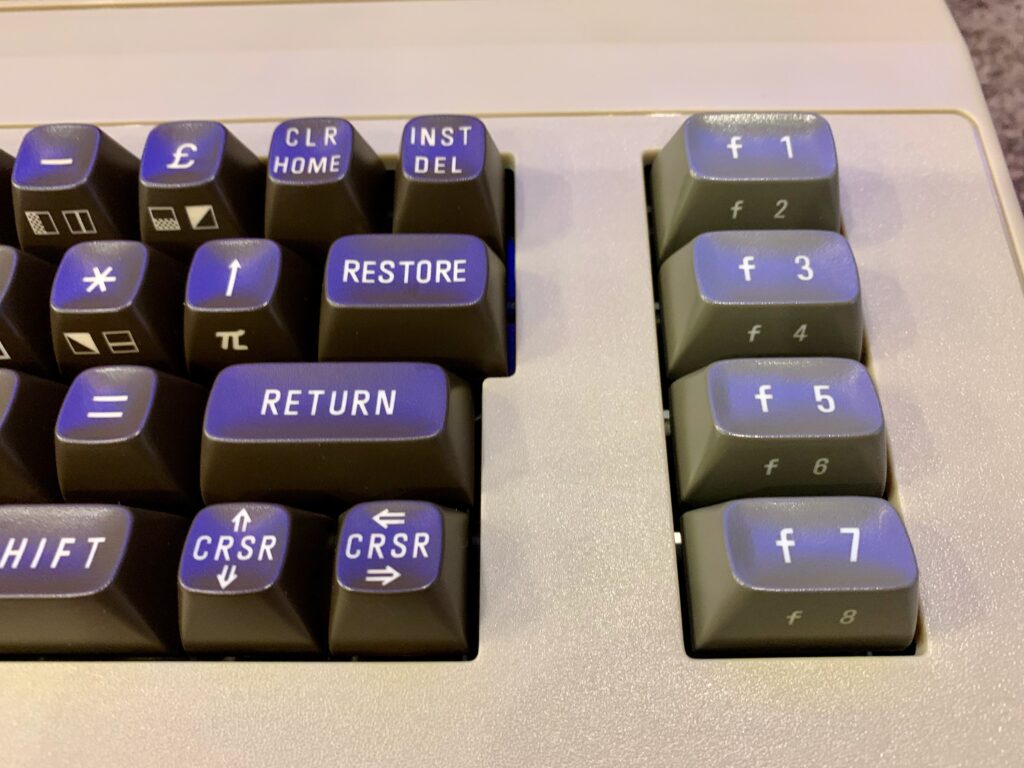
Note the Commodore Key that would normally sit in the bottom left has been replaced with a “THEC64” key – once again I would assume because of licensing issues. The other key that isn’t quite right is the SHIFT LOCK. On an original C64 you could press it, and it would “lock” and stay down. Apparently no one makes key mechanisms like that anymore, so this is just a normal key.
The Ports
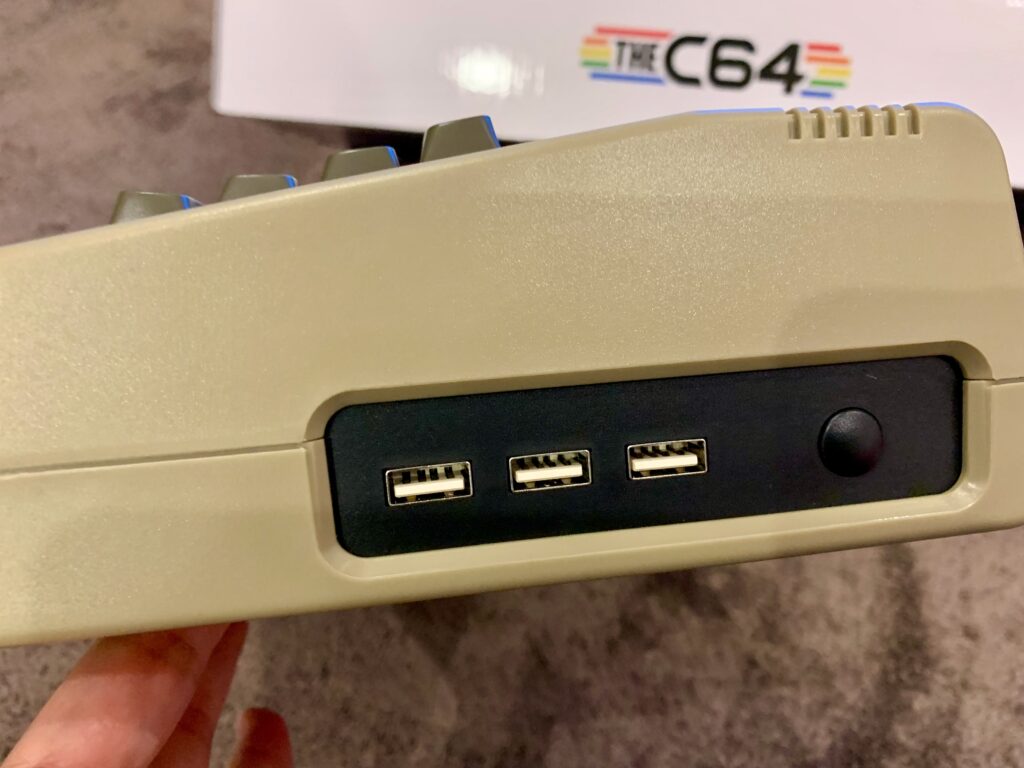
There are 3 USB-A ports on the right, and a power button.
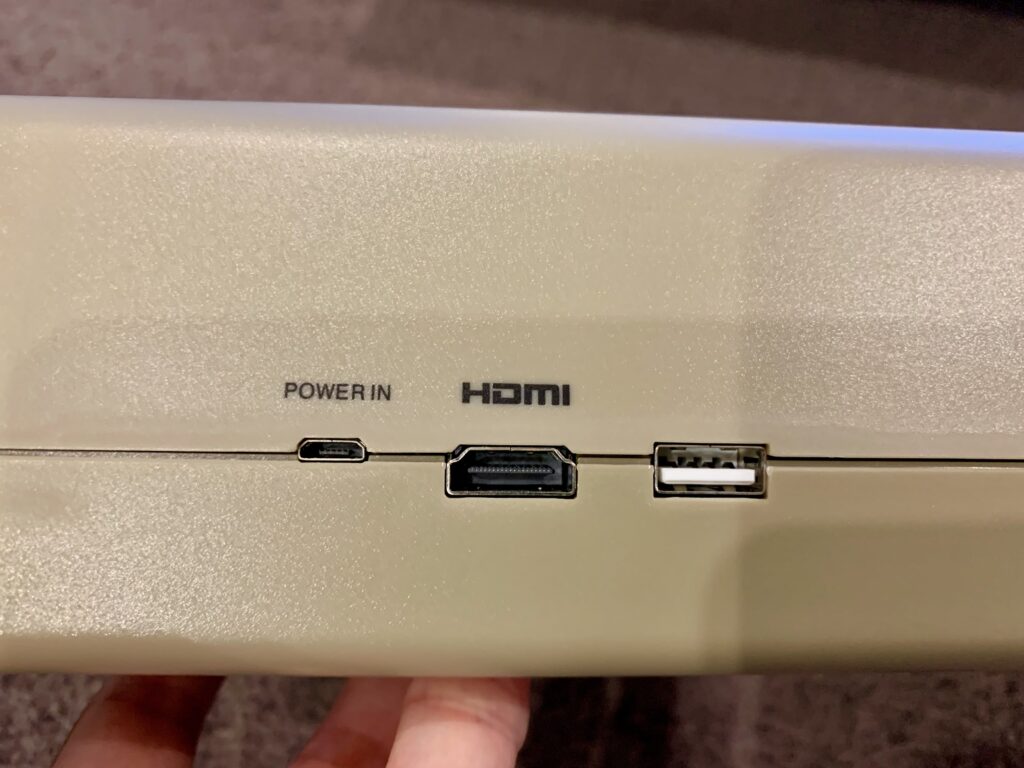
On the back is “power in”, a Micro-USB port, an HDMI for video out, and another USB-A port. And that’s it for ports. There is no support for legacy peripherals, like disk drives, tape drives, cartridges or printers.
The Joystick
The machine ships with a micro-switched USB-A joystick, with extra buttons that map to functions on the device itself.
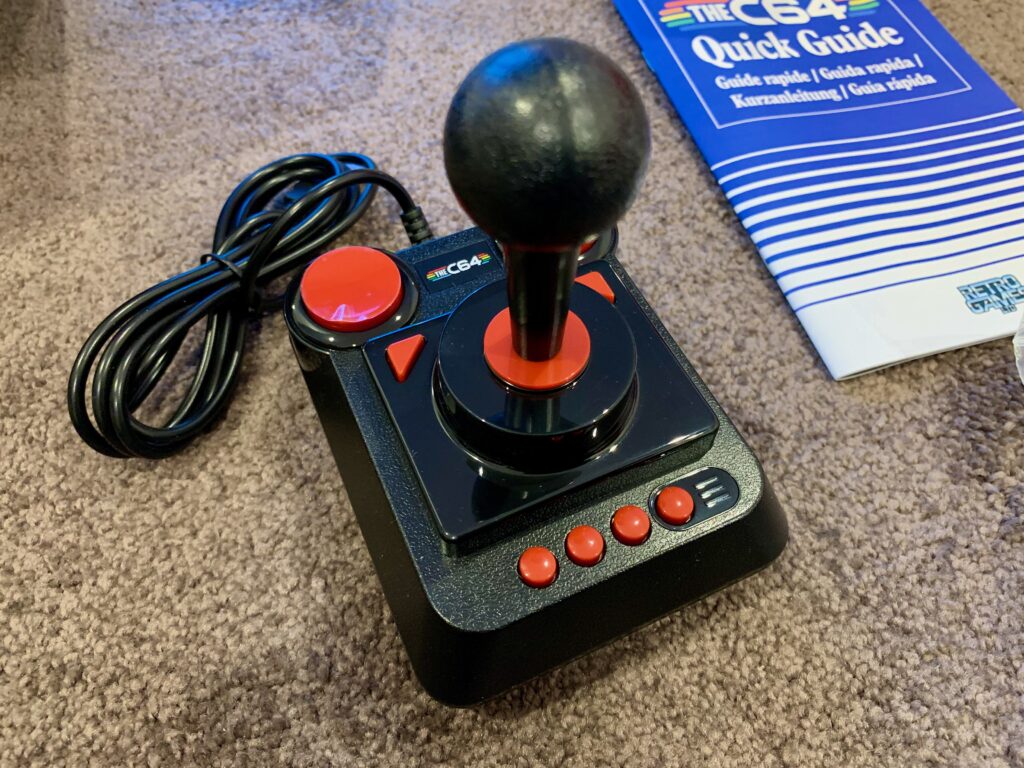
Some people like the joystick. I found it incredibly stiff to move and not enjoyable at all. Other USB controllers do work with the machine however.
Using the Machine
When you boot the machine you get an intro screen and a carousel of games. You can find an existing game, and quickly load and play it.
You can also load your own games via the USB-ports, as well as drop to the original C64 boot screen (the “ready” prompt) and program in BASIC if you like. It is possible to configure the machine to boot to this screen instead of the carousel if desired.
Here’s a video showing some of the selections and options available, including dropping to the “ready” prompt.
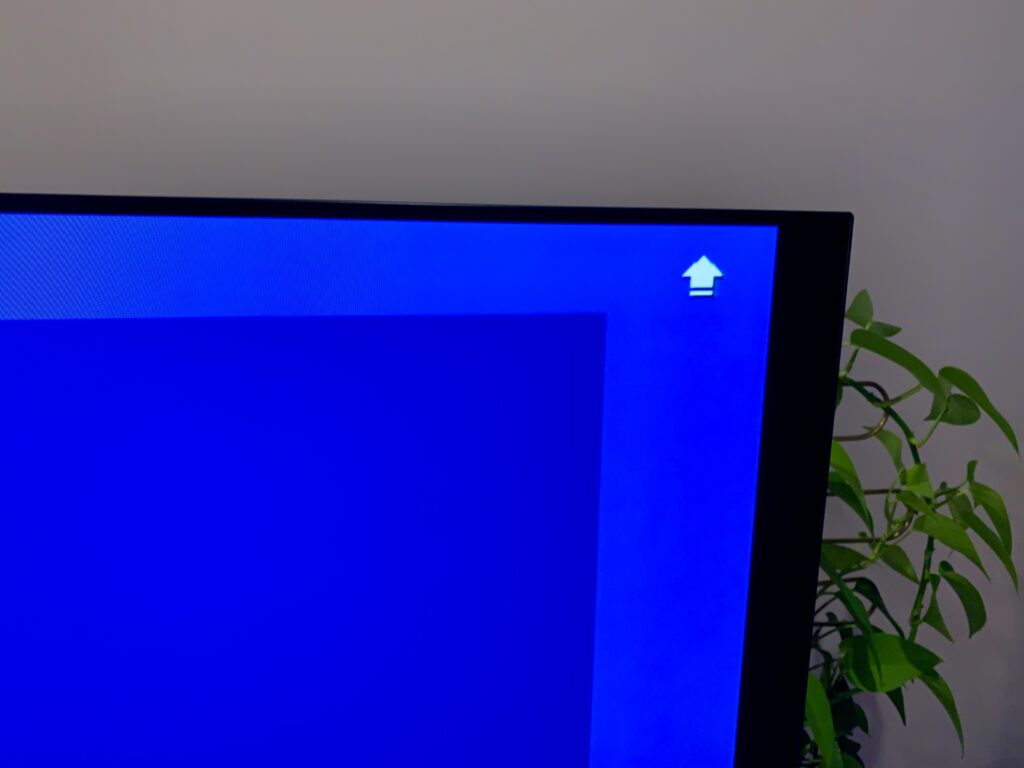
As I mentioned, SHIFT LOCK does not actually lock. To know if you have pressed SHIFT LOCK, an icon is shown at the top right of the screen.
You can run software from your own USB sticks in any of the USB ports. The emulator also has some clever capabilities where special characters in the filename help configure a program automatically – for example, c64-game_M6TPJ1.d64 tells the machine the ‘c64-game’ is for the C64 (M6), is PAL (TP) and sets the primary joystick to port 1 (J1). These options are all explained in the online user manual.
Here’s a video of one of the games running on the machine.
And another classic title.
Alternatives
If you are wanting to run C64 software today there are a number of alternatives to buying THEC64 Maxi. That’s if you can find one.
You could buy an old machine and connect it to an old TV, say. That’s too much work for many, and given the age of the hardware you may need to fix the machine, which means replacing components (soldering etc.). Not many people have the skills, time or money for such a venture.
There are software emulators you can get for all the major platforms for free (the same one as is built into THEC64 Maxi). They will give you access to all the software, though without the original-style keyboard. It’s a cheap way to play some C64 games however.
There are also standalone consoles, like the little brother to the Maxi: TheC64 Mini. This will give you access to all the games (via USB) but without the keyboard.
And finally, the other real alternative is the Commodore 64 Ultimate. This is an official Commodore release of a modern machine, using FPGA hardware and with an original-style keyboard, and is the closest competitor to the C64U.
So how does THEC64 Maxi compare to the C64U? Take a look at my review of the Commodore 64 Ultimate for a full comparison with photos. Spoiler: the C64U is the better machine, but it is 3 times the price, and has features not everyone is likely to want or need.
Conclusion
THEC64 Maxi is a great C64 Emulator with a real keyboard. It’s a quick and easy way to access the many games for the C64 in today’s world. The keyboard is what makes this shine, as you need it if you want to play keyboard-heavy games, or want to access the special keys of the original machine. And it has a lot of options for configuring software. Further, it has VIC20 support as well if that is of interest to you.
Overall, a great way to access C64 software in the modern age, only really surpassed by the Commodore 64 Ultimate.
If you like what I do on this site and want to support me, you can always buy me a bubble tea (I don’t drink coffee). If you don’t like what I do, that’s fine too – you can’t please everyone.